Steve Jobs on the iTunes Music Store: Buy, mix, listen

What Jobs talks about
Jobs introduces the iTunes Music Store alongside new iPods and iTunes 4, framing Apple’s music strategy as acquire, manage, and listen. He argues that digital music should be easy, legal, and enjoyable from purchase to playback.
He contrasts Apple’s store with piracy and subscription services, emphasizing 99-cent songs, broad personal-use rights, high-quality AAC encoding, free previews, album art, and one-click shopping. He also shows how the store is built into iTunes instead of being a separate app.
The announcement matters because it ties together Apple’s hardware, software, and online services into one ecosystem. Jobs presents the store as the first complete, consumer-friendly way to buy and use digital music online.
Jobs speaks throughout, with a brief introduction to the keynote and no other speakers featured.
In his words
“Rip actually means to take a physical CD and rip the bits off it and put them on your hard disk.”
“Mix means take those tracks, pick your favorite ones, arrange them any way you want in a playlist.”
“And burn means to take that favorite playlist and burn it on a CD”
“Music Downloads Done Right.”
“Now, how much is 99 cents? Is that a lot, a little?”
Key points
- Apple’s music strategy is built around acquire, manage, and listen.
- iTunes 4 adds AAC encoding, Rendezvous sharing, DVD archiving, and album art.
- The new iPod lineup is thinner, lighter, adds a dock, and lowers the 10GB price to $299.
- The iTunes Music Store launches with 200,000 tracks, 99-cent songs, and no subscription fee.
- Buyers get broad rights: unlimited CD burns for personal use, up to three Macs, and unlimited iPods.
- The store offers one-click purchasing, free 30-second previews, browsing by genre/artist/album, and exclusive tracks.
- Jobs says the store is built into iTunes and available starting today in the U.S.
Full transcript
Thank you very much for coming this morning. We have some really exciting things to announce, so let's just get right into it. As you know, Apple's strategy is to innovate, and I'd just like to review a few things that we've launched recently. The 12-inch PowerBook, the world's smallest full-featured notebook computer, introduced in January. Alongside it, the world's first 17-inch notebook computer, the 17-inch PowerBook. We've started shipping these in volume, and customers are loving them, reviewers are loving them. I just want to show you one review by a hard critic, Walt Mossberg at the Wall Street Journal.
This most stunning, most striking thing about the 17-inch PowerBook, after the screen itself, is how brilliantly Apple managed to shrink the size of the machine built around that big display. To get an idea of how sleek those dimensions are, compare the new PowerBook with another brand new laptop, Dell's Latitude D800. This model also boasts a widescreen display, measuring 15.4 inches diagonally, but even though Dell has a significantly smaller screen, it looks like a whale next to the 17-inch PowerBook. So, it's nice that other people are noticing. Now on the software side, we launched Safari, our own browser, in January as a beta.
We're on our second beta, and we've had over 3 million downloads of Safari. We could not be happier. This is going very, very well. And we launched iLife, a new incarnation of our digital hub applications, new versions of iPhoto, iMovie, and iDVD. And this has gone extremely well, too. And Keynote, our presentation program. Thank you very much. My presentation's in it today. And recently, we just launched Final Cut 4, the fourth generation of what has become now the most popular pro-video editing app in the world. So, this is all of this in only the first four months. Today, we're going to innovate some more, and this time in music.
Now, when Apple got into digital music, it was almost two and a half years ago. And to announce our entry, we were not the first into it, but when we decided to get into it, we came on strong, and we ran an ad called Rip Mix Burn. And let me go ahead and run it for you now. So, that ad got a certain amount of attention.
And it wasn't just an ad, though, because we introduced iTunes, our digital music jukebox. And this quickly became one of the most popular digital music jukeboxes in the world. And it led us to a remarkable device called the iPod. And this has revolutionized portable music listening. Now, because of these things and some other things that we've contributed to the recording industry, Apple was honored with the first Grammy ever awarded to a computer company last year. So, this is where we've been and, until today, are. Let me go back, though, to Rip Mix Burn. There was some confusion about this, primarily from people that didn't have teenage kids living at home, about what rip really meant.
Some people thought it meant rip off. Didn't mean that at all. So, let's go take a look at what Rip Mix Burn really means. Rip actually means to take a physical CD and rip the bits off it and put them on your hard disk. That's what it means to everyone under 30. Mix means take those tracks, pick your favorite ones, arrange them any way you want in a playlist to listen to your music the way you want it to listen to it, not the way somebody put it together on an album at a record company. And burn means to take that favorite playlist and burn it on a CD so you can play it in your portable disc player or your car stereo, what have you. Rip Mix Burn.
Now, just in case, I don't want anybody to get confused in this presentation, I'm going to use some different words up here that I hope can't confuse anyone. Acquire, manage, and listen. We're going to use those throughout the rest of the presentation. Now, listen, of course, doesn't just mean burning a CD. You can listen to music on your computer, as most of us do, and, of course, now we have the iPod to listen to it on the go. So, we're going to start by focusing on listening, and we're going to focus on the most exciting thing in listening, and that's the iPod. It's been incredibly successful. We've sold 700,000 iPods since we launched it, and it has become the number one MP3 player in the world.
Now, for those of us old enough, just like the Sony Walkman revolutionized portable music listening 20 years ago, in the digital age, the iPod is doing exactly the same thing. Now, can anyone ever top this? Well, we're going to try today, because today we're introducing some new iPods. It's our third generation. No one's even caught up with our first generation yet, and we're introducing our third. Three sizes, 10 gigabytes, 15 gigabytes, and 30 gigabytes. The 30 gigabyte model holds 7,500 songs in your pocket, a long way from the 1,000 songs in your pocket that we started with not long ago.
This is it. This is the new iPod. It is dramatically thinner at .62 inches, and dramatically lighter at only 5.6 ounces. Now, how thin and light is that? That is lighter than the weight of two CDs in their jewel cases, for 7,500 songs versus 20 songs on the CDs, and it is thinner than those exact same two CDs. Yeah, it's wow. So, thinner and lighter. Now, in addition, the no moving parts scroll wheel was so successful that we've made all the controls touch no moving parts, and we have a much better screen now, much higher contrast ratio screen on the iPod.
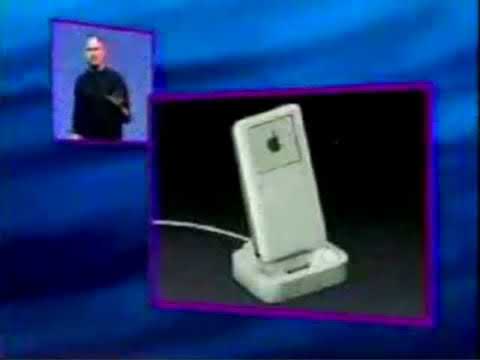
In addition to that, it has an incredibly nice backlight, which lights up the buttons as well. So, the new iPod. Let's take a look at the top of it. We've got a headphone jack and the hold switch, but no firewire connector. We've put it on the bottom. There's the firewire connector, and there's a cable that plugs right into it, but the iPod also drops into a dock. This has been one of the most requested features we've had. And so you can just drop your iPod in your dock, and it automatically connects to your computer so that you can sync, charge, and go even faster and more conveniently. It's really, really nice. Now, just like cell phones and other devices, that connector that plugs into your iPod is the same connector that plugs into the dock, but look at what we've added on the dock.
Line out. Another thing that has been heavily requested. People want to hook their iPods up to their stereos conveniently. There's a line out on the dock. You can even buy an accessory dock if you want, a second dock, and put it right by your stereo, so you plug your iPod right in, it charges, and hooks up right to your stereo. We think this is going to be a strong feature. Now, iPods have always supported firewire. With these new iPods, we're adding USB 2.0 for our Windows customers. We got the hardware done, but the software's not quite done. There's a lot more testing to do on Windows. It's a little less predictable. And so we're going to have a software update in June, but the hardware is completely done. There's a cable that goes, that connects into the iPod or the dock on one end, and firewire on the other, and that's included with every iPod, since most customers, we think, are going to continue to use firewire.
But for those that want to use USB, we have a cable with two plugs. Why is this? Because USB 2.0 doesn't have enough power to power most things, including the iPod, so it can't charge from USB 2.0. We have to ship a connector, a cable with a connector for USB 2.0 to go into your computer, and another connector for firewire to go into the charger. And, for those customers that want it, that'll be $19 accessory cable, because we don't want to burden all the firewire customers with an extra cable. The new iPods, like their predecessors, support Mac and Windows, but for the first time, we're combining the models into one box, so you can't. hit the wrong box, Mac and Windows in one box. So that's the hardware. What about the software? Well, of course, we have AutoSync. It's the one and only.
And because we have a ton of patents pending, we think it will stay the one and only. And this is great. You just plug your iPod into your computer, and your entire music library is automatically synchronized with your iPod. No one else does that. In addition, we're adding some new features. The first, heavily requested, AAC decoding. AAC is a new audio codec invented by Dolby. It's the best one in the industry. And the iPod will now play AAC. Another big feature that was requested was on-the-go playlist. This is a playlist where you can actually build it right on your iPod. And personalizing the main menu. We're going to show you how to personalize the main menu so you can take the things you use the most and put them right up in the main menu. An alarm clock, which will either give you a beep or will play your favorite playlist.
And two more new games, Solitaire and Parachute. Maybe the most important new feature of all. So let me go ahead and show you some of this stuff. All right. Here's my iPod. And the first thing I want to do is if we go into playlists, right at the bottom, you see the on-the-go playlist. And if you go in there, what you'll see at first are some directions about how to set it up. So let's go back. And let's go into Browse. And let's go into Artists. And I'll go into Bob Dylan, who I love. And we'll go into Blood on the Tracks. And we'll pick Simple Twist of Fate. And I just hold my finger down on the song.
And you see it flash? That just added it to the on-the-go playlist. And maybe I'll add, if you see her say hello, just by holding my finger down again. And maybe I'll go back and find another artist here. Maybe Counting Crows here. And Hard Candy. I want the whole album. So I'm just going to hold my finger down on the album. And it flashes. And I've added the whole album. And if I go back up to the top and look in Playlists, and I look in my on-the-go playlist, you'll see Simple Twist of Fate, If You See Her Say Hello, and the entire album that I just added. Pretty simple. Now, let me show you another really cool feature. I'm going to go into Settings. And we've added a new setting right under About called Main Menu.
We put it right at the top because we think it's going to be very popular. And you go into Main Menu. And it has all the key things with on or off toggles. So Playlists, I'm going to leave on. But Browse, I don't like to go to a second level to get artists. So I'm going to turn on Artists. And I'm going to turn on Songs. And I don't want extras. All I really want is the clock. And that's about it. So now I'm going to go to the top again. And you'll see my menu is Playlists, Artists, Songs, Clock, and Settings. I can even go in there if I want and turn off Playlists. And maybe I'll turn on Albums. And maybe I'll go down and say, I really like my Contacts. And I really like my Games.
And I know how to use the backlight now with the secret way to turn it on. And so this is my new Main Menu. Pretty cool. And you can set it up and change it whenever you want. So the new iPods, they are thinner and lighter. They have a really improved display in them with a great backlight. They have a dock. They have USB 2.0 if you want it. They feature Auto Sync and the ability to have an on-the-go playlist and to change your Main Menu any way you want.
Now, up until now, the most popular iPod has been the 10-gigabyte model. This has been the sweet spot at $399. We are lowering the cost of a 10-gigabyte iPod today to $299 for the new 10-gigabyte iPod. We have three models, the new 10, the new 15, and the new 30-gigabyte. 2,500 songs in your pocket on the 10, 3,700 on the 15, and 7,500 on the 30. The 15 and the 30 have the dock, the case, and the remote included. You can get these as accessories for the 10 if you want. And $299 for the 10, $399 for the 15, and $499 for the 20. When are these going to be available?
They're going to be available this Friday across the US. Our whole channel is having some events this Friday, and there are going to be a large supply of them this Friday. And they will be available one week later internationally, May 9. So the new iPod, clearly the best way now to listen to music. So let's move on to manage. iTunes. We've had incredible success with this. Over 20 million copies of iTunes has been distributed. And today we're on iTunes 3. But right now, we're introducing iTunes 4. iTunes 4 has got some cool new features in it.
As you know, we support MP3 encoding and decoding, which is what a lot of people love to use. It's the most popular music format in the world. But we're also adding AAC encoding. And this is stuff that was pioneered by Dolby. It is actually the audio standard of the MPEG-4 format. Now, why are we adding AAC? We're adding AAC alongside MP3 because AAC simply sounds a lot better than MP3 at any given bit rate. Matter of fact, we have built into Mac OS X.
And Rendezvous allows computers to find each other over any IP network, whether it's an ethernet or an airport wireless network, find each other with zero configuration. So without setting anything up, typing in any names, these computers can find each other. And now, iTunes is taking full advantage of it so that you can access playlists on other Macs and play the songs by streaming them over the network onto your Mac. iTunes can now share playlists between Macs. DVD archiving. You can now save your songs fully encoded, write them out to a DVD, put about 1,000 songs on a DVD. So if you want to back up your music library, you can. And if you have album artwork, you can drag it into iTunes now.
So four new features. iTunes 4. I'd like to demo one of them, which is Rendezvous. So I'm at home using iTunes. And let me go ahead and bring it up. And I can play a song if I want to. A few seconds, the music in this playlist just go away.
But he needs alone. So he comes back to talk to his dad, and he opens this, right? And within a few seconds, there is this Phil's Power Book, and here we go. And I can pick something else if I want. I don't retain any of the music on my computer, but I get all the enjoyment of listening to it when they're around.
And so if you've got three Macs at your house, and you are tired of having to give your CDs to other people, and this and that, you can just share all your music between yourselves, as long as everybody's there on their computers, stream it across your wireless network or whatever network you have, using Rendezvous and iTunes 4. configuration, no setup whatsoever. So iTunes 4, AAC, encoding and decoding, rendezvous support, backup, the DVD, and album art, and we think that this is the best way to manage your music on the planet. Which brings us to acquire. Now, we acquire our music off CDs, right? We go down and buy a CD and we rip it.
But we all know that starting in 1999, there was this phenomenon called Napster. It was shut down in 2001, but it demonstrated some things for us. It demonstrated that the internet was made for music delivery. And its offspring, Kazaa, is alive and well today, distributing lots of tracks. Now, there's a good side and a bad side to this. The good side is it offers users near instant gratification, at least as compared to going down to the record store, and again, shows that the internet was built for music delivery. But the downside is it's stealing. It is stealing. So, from a user's point of view, let's look at the upsides and the downsides of this from a user's point of view. First thing is, it's got a vast selection, better than any record store on the planet.
Unlimited CD burning. Unlimited MP3 players. You can put the music on any number of them you want. You can put the music on an unlimited number of computers. And from a user's point of view, it's free. What's wrong with this, right? It's fantastic. But there's a dark side to it. Very unreliable downloads. Very unreliable quality. A lot of these songs are encoded by seven-year-olds and they don't do a great job. There are no previews. So, you can spend a whole lot of time downloading a song and find out it's not exactly the one you wanted. No album cover art. And worst of all, it's stealing. It's best not to mess with karma. So, most people don't focus on these things, though.
They focus on the good things. You say, well, why has this proliferated? Well, because there's no legal alternative. There's no legal alternative that's worth beans. We say, well, what about press play and Rhapsody? What about these things? Well, they're both subscription services. You can't just go get a song and pay a little. You have to subscribe to them. And they don't even let you download all the songs and they don't even let you put all the songs on your MP3 player. They don't let you burn a lot of CDs. Here's press play. If you do get some downloads, which you have to pay extra for, you can play them as long as your membership is active. So, you pay to download 500 songs and one day you stop paying your subscription fee and your entire music library goes away. Here's Rhapsody. Only subscribers to the all-access subscription plan at $9.95 per month will get the ability to burn tracks, of course, for an additional fee per track.
These services treat you like a criminal. And they are subscription-based. And we think subscriptions are the wrong path. And one of the reasons we think this is because people have bought their music for as long as we can remember. We've bought our music on LPs. We've bought our music on cassettes. We've bought our music on CDs. And we think people want to buy their music on the internet by buying downloads just like they bought LPs, just like they bought cassettes, just like they bought CDs. They're used to buying their music and they're used to getting a broad set of rights with it. When you own your music, it never goes away. When you own your music, you have a broad set of personal use rights. You can listen to it however you want. So, we decided since no one else was doing this that we were going to do it.
And we started about a year and a half ago to create a music store, Music Downloads Done Right. Now, if we're going to compete with this, we're going to need a broad set of rights from the music companies. We need to go talk to the big five. The big five are the five biggest music companies in the world. Here they are. Now, before we did this, I was reminded of a quote from Hunter S. Thompson about the music industry. The music business is a cruel and shallow money trench and a long plastic hallway where thieves and pimps run free and good men die like dogs. There's also a negative side. So, I didn't know what to expect. And also, you know, as you recall, year to year and a half ago, the content industries and the tech industries were having a little bit of a war.
So, it wasn't the best time to go waving a white flag, saying, hey, let's do something great. So, we didn't know what to think. Well, we went and talked to Warner first and then to Universal and then each one after the other. And I have to tell you, we met some great people there and they were willing to do something with us to go change the world. And we were able to negotiate landmark deals with all the big five music companies for our music store. And let me tell you what we got. Today, we've got 200,000 tracks. We're loading in tracks every single day. This is gonna keep on growing and growing and growing. 200,000 tracks. And the personal use rights you get when you buy these tracks, unlimited CD burns for personal use.
Now, we don't want people burning 1,000 copies of their playlist and giving it to everybody in the dorm any more than the record companies. It's just wrong. And so, we put a governor on this, which is if you're sitting there burning a playlist, you have to modify that playlist every 10 burns. We're not gonna let you just say, make 1,000 and go out to lunch. You've got to modify it every 10 burns. And we don't think most people burn a playlist 10 times, so they'll never run into this. But unlimited CD burning, but you've got to modify a playlist every 10 burns and it's for personal use only. You can put your music on an unlimited number of iPods, past, present and future models. You can play your music on up to three Macs. Now, we'll download it to one. You got to transfer it to the rest.
And if you buy a new Mac, you can deauthorize one of your existing ones and authorize the new ones. You can transfer your authorization to new Macs as you buy them. And you can use your music in applications. You can add your music to iPhoto, to iMovie, to iDVD to be the soundtracks of your life. Any applications that run on Mac. And all of this music with all of these rights, you can buy for 99 cents per song with no subscription fee. Now, how much is 99 cents? Is that a lot, a little? We think it's not so much. How many of you had a Starbucks latte this morning?
Three bucks. That's three songs. How many lattes got sold across the US this morning? A lot. 99 cents is pretty affordable. So, let's take a look at where we are. Vast selection. We've got 200,000 songs today and growing. We have unlimited CD burning. Instead of unlimited MP3 players, we have unlimited iPods, the most popular MP3 player in the world. Unlimited computers, we have up to three Macs, which we think for most people will represent unlimited. And for free, we didn't quite get the free, so we can't give ourselves green, but we got 99 cents a song, which is pretty doggone close. But now, let's take a look at the downsides again. What do these things really mean? What does it mean to have unreliable downloads and unreliable encoding?
Let me go through a scenario, a typical scenario. You go to Kazaa and you look for a song. You never find one song. You find 50 or 60 songs, right? And you've got to pick which one of those is going to give you a reliable download. You often pick wrong. And so the download is slow as molasses and it craps out halfway through, right? I'm sure none of us have experienced this, but trust me, this is what happens. And you try again, you get the same result again. And after trying a few times, you finally download the song, you play it. The last four seconds is cut off the end or it's got a glitch in the middle, or it was encoded by somebody that didn't quite know what they were doing and it sounds bad. So you try it again and you try it again. And after about 15 minutes, you finally succeed in getting a clean version of the song you want.
What that means is you'll spend an hour at that rate to get four songs that cost under four bucks from Apple. And you calculate that you are working for under minimum wage. We think some people are willing to work for under minimum wage, but most aren't. And in addition, you are stealing. You are stealing. So we look at this as tremendous opportunity to compete with these guys. So how are we gonna do that? Unreliable downloads? We nailed it. Remember, we've been operating the largest movie trailer download site for years. And video takes a hundred times more bits than audio.
We've nailed this. We know how to pump oceans of bits reliably from server farms. We run them today. We've applied it to music. We've nailed it. In terms of encoding quality, every song is pristinely encoded in 128 kilobit per second AAC. It rivals CD quality. And actually, because we've gotten, we've gone all the way back to some of the master tapes in the vault to encode these things. Some of them sound better than CDs. We are offering free 30-second previews encoded at 128 kilobits AAC, the same quality for every song on the store. And we are including album cover art. So let's take a look at this. Unreliable downloads, we're going to replace with fast, reliable downloads.
Unreliable encoding, we're going to replace with pristine encoding. We're going to offer previews, free 30-second previews of every song in the store. We're going to offer cover art. And it's not stealing anymore. It's good karma. So turning around these five negative things added to these broad personal use rights is a very compelling offering. But we've gone even beyond that. As you may know, we operate an online store today that does $1 to $2 billion in sales a year. And it features one-click shopping. Only Apple and Amazon offer one-click shopping.
And we've adapted that to the music store. We are having one-click downloads. You click one button, your credit card is charged, the download starts, whether it's a song or a complete album. One click. Searching, just like you can do on the other services, but something no one's done before, browsing. If you used iTunes and you go into browse mode, you can browse your whole library by genre, artist, and album. Well, now you can browse the entire music store by genre, artist, and album, and it is mind-bogglingly cool. And we have exclusive tracks that you can't get anywhere else from artists like U2, Eminem, Bob Dylan. There's over 20 of them that have given us exclusive tracks for the store that you cannot get anywhere else.
So, the iTunes Music Store is what we're going to call this. Why do we call it the iTunes Music Store? Because it's built in to iTunes 4. Right over here in the source list is Music Store and Purchase Music Playlist. And when you click on Music Store, boom, you go right in to the iTunes Music Store. There's not a separate application to launch. You don't download your music into some obscure folder that you have to go find and drag into your jukebox. It is right in your jukebox. And it's my pleasure, after a year and a half, to show this to you. So, here it is, the iTunes Music Store. Let's go.
Boom, there we are. Now, the homepage has top song downloads and top album downloads right here. It's got new releases, exclusive tracks, staff favorites, and up and coming right down here. So, let's just go get a song, top downloaded song, soak up the sun. These are updated, you know, literally every time somebody buys a song. And we can just play the song right here. And I can go to my Purchase Music and there it is right there.
Let's go back to the Music Store here. And let me go back to the homepage and just show you new releases. Again, we have more than, we have about 16 of them that we feature at any given time. And I can just go select one of those here, Staff Favorites, down here again, you know, back or forth. And I'm just going to go into Elvis here, Elvis 56. And here's the album. I can buy the whole album for $9.99 here or I can just go buy any track I want. Let's go back to Dylan again.
Added it to my Purchase Music right there, so I don't even have to go look for it. Now, let me go back to the homepage. And again, I can go up here and say, here's Beck, I want to buy the whole album. I just push this button to buy the whole album. And if I go to Purchase Music, you'll see it add that. And track by track, download them. I have fast network connection. It may not be quite as fast for you, but it's pretty fast. All right. So that's one way of finding music is Top Song Downloads, Top Album Downloads, and all the things that we're highlighting right here. But you can also look for music by genre. And so we can go to rock right here. And we have special pages for each genre if we want to. We can go to, as an example, David Bowie right here, one of the ones we featured.
And listen to Ziggy. Go to David Bowie's artist page. And look at, we've got, this is 12 of 60, we've got 16 albums from David Bowie. I challenge you to find too many record stores with 16 albums from David Bowie. And, you know, Hunky Dory is one of my favorite. Here's Changes.
I can go back. And let me go to Jazz. Here's our Jazz page. And, you know, let me see what we got here. You know, new releases. Charles Mingus. How's that? Never heard this album before. By just moving around the music store like this, you find all sorts of music you've never heard and you like and you want to buy. Let me show you an example. I was tooting around the other night and in world music, which I don't listen to much of, and I staffed favorites. What's this? And I just started listening.
I went back. Actually, I can use the back button to go back. And here's another one that I bought. Really wonderful music that I would have never been exposed to before. Again, all this music that I buy just goes in my purchase music playlist. And I've got the album art and everything else there with it. So now let's go search for some music. So I'm going to search. Here's a young artist, Mayer, and he's got a song that's been very popular, Wonderland.
And here's all the songs on that album. I might want to buy the whole album or just a few more songs. So let me go search for something else here. It's easy to find stuff. Got a spell though. Rock Around the Clock. Let me show you another example of, Here's a song we've all heard but nobody knows about. We might want to buy that song, but I bet most of us won't want to buy the whole album.
So here's a way to just buy the songs you want without having to buy the whole album. Here's another one. It's been fun just searching around this thing. You've heard this one before. Let's go over to Glenn Gould here. This is what I wanted right here and again. And just type stuff in here and boom, find all the versions that have been done. Let me show you something really wonderful, especially if you're a little older like me and you remember all these old wonderful songs.
You can find multiple versions. So I'm going to type in Mack the Knife. And, uh, we got a bunch of versions, including, of course, the most famous, Bobby Dick. Find all these versions of Mack the Knife in one place, zoom, like that.
Let me show you another one that's really, that I found here. One for my baby. You know this little song. And here's Willie Nelson singing. I think it is.
So, we've seen, we've seen finding music by traversing around the sites, looking at the top album, top song downloads, what we're featuring, and searching. But let me show you one of the more incredible ways to find music. There's a little button up here called browse. And you hit it, and you've got a browser right here. And this shows all the genres. So I'm going to go into alternative, and it shows me all the artists in alternative. Look at this. So we're going to go back up to the top here, and we're going to try to find the Cranberries. Cranberries. And, uh, I will pick one of their albums. I'll just pick all of their albums. And here's all their songs.
And I can just scroll down, find the song I want. So now let me go to books and spoken. We have some spoken word things here. Really incredible one I found, at least I thought so, was Jack Kerouac. You ever heard Jack Kerouac before? This is what he sounds like. Yeah, I forgot that stealing music is illegal.
So, let's go to country. We can go find Faith Hill here. Where's Faith Hill? Let's go to hip hop. Hip hop, we'll find Eminem here. Oops, passed him. Boom. And notice, by the way, what we're doing on albums. We highlight all albums with explicit tracks. And if you notice on these things, yep, there it is, right there. Boom. And if you pick an album with explicit tracks, we'll highlight the tracks themselves. And this one, it's everyone. But we're going to go over here, and let's see, where's the song I'm looking for?
There it is, right. Boom. So, you can find anything out of 200,000 songs all sorted by genre, artist, and album. There's never been anything like this before. Now, I want to show you something that's really cool. I want to use this incredible body of music in my applications on my Mac. Like, I've got iPhoto here, and I've got some photos we took on a camping trip, and I want to play a slideshow, and I want to use my music. Well, what I do is this is my iTunes library, but I also have a playlist called Purchase Music that we saw. This is all the music that I've bought, and I can just go pick dreams, let's say.
Boom. Play the slideshow. Boom. You can use your music in all your applications. All right. So, now let's go back to the music store. I want to show you one more thing. Go back to the home page. We have gotten exclusive tracks by over 20 artists, and we feature them right over here.
And I'm going to go to one of my favorite artists, Bob Dylan. And here's Bob's page. We, again, have 32 albums by Bob. These are the first 12. You can just cycle through them. And we've got some things up here. Bob's website. So, you can go to the artist's website just by clicking a button. That's Bob's website right there. It brings up Safari. And we can go look at the exclusive tracks. These are three tracks that have never been released before, an alternate mix of Everything is Broken. So, we've got two live performances there. But we've also got something else.
For these special artists, for a lot of them, we've gone ahead and built in some video. Right inside iTunes for itself, in the music store itself, we are now featuring streaming videos at very high quality. This is a video that's never been seen before. Pretty incredible, isn't it?
And, again, to preview every song on the site, to go to these artist pages, to watch these videos, you don't have to spend a dime. But we think when you do, you will fall in love with music again so much that you'll spend some money. So, let's go to another one. Let's go to U2. We've got some exclusive tracks from U2, along with a video. Incredible stuff.
Here's another fun one. Sum 41. If you've heard their music, they're great. But I want to show you their video. They gave us a great video to put on the site. This is really fun. Never before been seen, I don't think. Young people today are experimenting with a deadly new drug, rabies. Early teens experimented with secanol, pantifelanol, or cocaflexadrine. But today it's rabies. They call it raving out, foaming up, or getting a dog on. In laboratories, rabies is studied scientifically. But often the virus finds its way... Isn't that great?
And then, of course, we wouldn't be complete without Eminem, of course. We've got some great tracks from him and we're streaming this great video you may have seen before on DVD. We've got some great tracks from him and we're streaming this great video you may have seen before on DVD. And then, of course, we wouldn't be complete without Eminem, of course.
So, the iTunes Music Store, ladies and gentlemen. It's incredible. You can buy songs or albums. We have 200,000 tracks and we're adding more daily. Unlimited CD burns for personal use. You can put your music on an unlimited number of iPods. You can play your music on up to three Macs. You can use your music in your applications. Every song is pristinely encoded in AAC 128 kilobit per second encoding. Free 30-second previews of every song in the store. Album cover art. One-click shopping.
Click a button, bill your credit card, get your download with one click. Searching and browsing. Special exclusive content from artists like Bob Dylan, U2, Sheryl Crow, Sting, Eminem. Over 20 of them. Now, we made this look really easy. And it is if you're a user. But this is not easy to implement. You know, to do these things, we've had to employ some amazing technology because you've, again, got to deliver oceans of bits fast and reliably. You've got to process millions of transactions, hopefully. You've got to integrate with a popular jukebox if you want to make it easy. And you've got to work seamlessly with the most popular MP3 player on the market, iPod.
And we have a lot of resources we've brought to bear. As I mentioned, we have been delivering video. Largest movie trailer site in the world. We know how to move oceans of bits. We have an online store that I mentioned was doing between $1 and $2 billion of business a year with one-click shopping. We know how to do online transactions. We own the best of only a handful of popular jukeboxes in the world. And we can work seamlessly with the iPod because we create them. We don't know any other company that has these assets under one roof. And so as others try to do this, we're not sure what they're going to do. We know at this point, only Apple could have created this online music store.
The iTunes Music Store is initially going to be available in the U.S. only. You have to have a credit card with a U.S. billing address. We hope to expand that in the future. And it's available starting today. iTunes 4 with the iTunes Music Store is a free download at apple.com. When you go there, this is the home page you will see. And it will be up within 30 minutes from now. Now, if you have an iPod, you will need to get a software upgrade to be able to put music that you buy from the iTunes Music Store onto your iPod. And that software upgrade is free and will be available today on apple.com.
The iTunes Music Store, we think, is going to become the hottest way to acquire music. And when you look at this, Apple is the first company that's brought together the entire ecosystem for the new digital age of music. The legal way to buy it online, purely digital, fantastic buying experience, great downloads, great encoding, the best way to manage your music with iTunes 4, and the best way to listen to your music with iPods. And so I think it's fair that we can now change Rip Mix Burn to Buy Mix iPod. Now, the iTunes Music Store is Mac-only to start with.
Most innovations come to the Mac first. But we know this is going to be the biggest question we get from users. When is it coming to Windows? And we're announcing here today we're going to bring it to Windows by the end of this year. So, I've got two things for you. The first up is a video. And we made this video. It's really fun. I'd like to thank the folks that made it. And let me just show it to you now. So, let me just show it to you now.
So, let me just show it to you now. So, let me just show it to you now. So, let me just show it to you now. So, let me just show it to you now.
So, let me just show it to you now. So, let me just show it to you now. So, let me just show it to you now.
So, let me just show it to you now. you you you you
you you Thank you So we've gotten the url applemusic.com. You'll be see you'll be seeing it in a few places In the not-too-distant future and when you go there it takes you right to the apple website Rock and roll will never die. It is however being reborn and We also got some TV ads. These are hot off the presses They're not dumb, but I want to share them with you to see what you think and we wanted to really convey how much of a part of music how much of a part of our lives music is and Let's just go ahead and run some TV ads. See what you think You You
You You You You So there's one of those we may not run
This is what we have for you today new iPods new iTunes 4 and the iTunes music store and There's a lot of folks at Apple that have been working really hard on this stuff for the last 18 months And I'd like to give them a round of applause So The site is up have at it. Thank you very much for coming this morning. See you soon
Transcribed from the audio with OpenAI Whisper. Timestamps link to the video above. Errors are possible.