Steve Jobs on Interpersonal Computing: NeXT demo
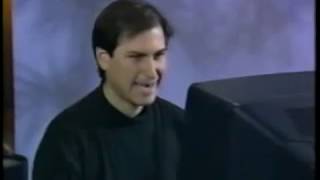

What Jobs talks about
Jobs frames NeXT as a shift from Personal Computing to Interpersonal Computing: tools that raise the productivity of groups, not just individuals. He argues that communication should include words, pictures, sound, and multimedia, all moving through the network.
He then demonstrates NeXT features like mail with rich content, forwarding, voice messages, address search, network navigation, and shared services such as Digital Librarian and Webster. The point is that applications can work together seamlessly and let people find, share, and repurpose information quickly.
He closes by showing desktop publishing, OCR, video, and real-time multimedia editing, stressing how NeXT’s software and color systems help teams create and share complex content far more efficiently.
Jobs speaks throughout the demo.
In his words
“Interpersonal Computing is an effort to increase the productivity of a group.”
“We do not just communicate with words, but we want to communicate with words, phrases, pictures and lights.”
“I don't know of any other organization that can do this.”
“You can see how easy it is to work with these movies.”
“Thank you for watching our video tutorial.”
Key points
- Interpersonal Computing is about increasing the productivity of a group.
- Communication should combine words, pictures, sound, and video.
- NeXT’s mail can carry rich text, drawings, scanned images, and voice messages.
- Services like Digital Librarian and Webster let users search and reuse content across applications.
- The system makes network navigation and sharing easier for ordinary users.
- NeXT’s multimedia tools support desktop publishing, OCR, and real-time video editing.
- The same underlying code can be used across screen, print, and network workflows.
Full transcript
Through this, they can share it with their friends whom they have never met before. Today, we are going to see a simple explanation of Interpersonal Computing. Interpersonal Computing is an effort to increase the productivity and productivity of a group. We believe that it is the main use of the advanced test of knowledge at the beginning of the 90s. This has changed from Personal Computing, which increases the productivity of individuals. When we change to Interpersonal Computing, the way we communicate is very important. We do not just communicate with words, but we want to communicate with words, phrases, pictures and lights. I am going to show you how to do this in a next-next-next revolutionary new way. Based on this practical explanation, I am going to show you some wonderful exercises using our Minnanjala method.
Let's start. First, Next Kanini is a Multitasking Kanini. That is, when I am looking at my notebooks, I can immediately look at my Minnanjala and collect all of them at the same time. Instead of closing a frame, I can hide it. In this process, what can I do to hide the workspace behind the logo or my Minnanjala behind its icon? This will be an icon like a small letter attached to the top of the head. Because I hide the workspace and take the Minnanjala. I can see my Minnanjala hundreds of times a day. Because I can read Minnanjala in half a minute. Now let's look at this first Minnanjala. All the Minnanjala messages I received are here. I can see his pages. Here I have 12 messages. The content of the selected message is shown below.
The picture of the RISC page that sent this Minnanjala, the date and time it was sent, and some wonderful things are here. Let's take a look at him in detail. In this Minnanjala, there is a drawing or movie of our new SESI association, which RISC sent. I can scroll through this easily. In our Minnanjala format, you can add any font and any amount of postscript and postscript data. We can add any colored drawings created by postscript drawing or postscript drawing. Then you can send it as it is. Let's look at the next Minnanjala. Pablongo has sent a Minnanjala to register our new residence. He says it is only 20 minutes away from the airport.
He scanned the picture through a color scanner and sent it to Minnanjala. This will definitely increase his chances of getting the property to rent that place. Now, if I want to send this Minnanjala to my colleagues, I just need to press the Send button above. A window will open. If I press Forward, the pop-in message will be sent to this window. Here it is. The picture is right here. If I want, I can change it or add some things. Here, tell me the place called Policy Team. I am going to add a voicemail message. If I press the Lip Service button, the message will come. Then I will press Record. I will say, hey, correct this and tell me.
Thank you. Thank you. Then I will save it. Here, the list is right here. I can save it wherever I want. Then I can delete it and listen to the message. Hey, correct this and tell me. Thank you. By pressing the Address Panel, I can search for people's addresses. We are not connected to the network, but as you can see, I can search for people who are in groups. Here, delete it. I can search for the Personal Department or Makes Entry and press this button. As you can see, it is very easy for senior officials to use this. Okay, let's delete this window. Let's go back here. Here is the news from D.O. T.Wagons.
He is the leader of Next Europa. He is going to hire a lot of people. He is sending this forward message to his new team members. There is also a German version.
You can understand the situation. Here, D.O. is sending a message to his new team members in their mother tongue. Now, this is another thing that we can do in this organization. We have seen how to make a difference in behavior or writing. We can add explanatory pictures to this. We can add smoke pictures to this. We can also add grass-like light to this. Now, I would like to send a spreadsheet to my colleagues. Or let's say that Sandigol wants to send me one. Instead of looking at the 300-page spreadsheet to see how to do this, Sandigol wrote this Lotus Virithal mantra in Minnanjala Salaram.
It automatically joined. Then he wrote the phrase and printed it out as clear. You can add any verse, any mantra to your Minnanjala Salaram. You can also add vowel marks to it. Just double click on the phrase. It will open the Lotus Improve, Lotus Improve menu. What Sandigol wants to send me will appear on the screen. This is the new Lotus Virithal. This is a Virithal that calculates expenses. There are some expenses related to human resources, science, research, medical school, teachers, counselors, and student assistants. These expenses, expenses related to the year and information about the worker, are related to 1989 and 1990.
I am not going to explain much about the Improve here. But you definitely need to study it. This is a revolutionary preparation. If I were a student of the Human Resource College, I would like to see all the human resources scattered in four places in one place. That's what I'm showing you. Instead of telling you to do the entire Virithal in Sandi, just take the button below and move it to the right or left. The Virithal will change itself immediately. That is, I can see all the human resources in one place now. I would like to see it at the base of the expenses. That is, I can bring it down. Again, the Virithal will automatically change itself. I would like to move the worker information up.
Or I can move it up and see how the years are. Again, I can use this Virithal as I wish. I can put the years in the third dimension here and see the Virithal for 1989 and 1990 in the way I need. As with the expenses, it allows you to improve and improve your Virithal immediately. Okay, I've used the Improve now. I'm looking at the Virithal message from Sandi. I'm thinking about how easily he sent it to me. The message below came from Vicky Yeman. I think this is a news story about a fortune teller and a wall.
This is a word perfect word perfect. Even now, he has drawn that word perfect word in the message. I'm tearing it twice. It's missing. You know, this is a new version of word perfect. This is next, next. It is fully compatible with Kannini alone and anywhere else. There is a 70% chance of this. This will be the first true version of word perfect. That is, you will get to see it. You can see all the terms and definitions on the screen. If you take the pictures and drag them here, the words will immediately switch to that picture. By selecting from the menu, I can switch to two or three idioms.
You can see that the picture is automatically replaced by the postscript. Those who use Word Perfect are discovering things that can be done in this complete news story. Okay, Vicky sent this to me. I'm looking at it. I'll show you another statistical one. This is a message with four separate words, except for one part. Rich Page sent this. He sent some words from a message module's description and weight processor. I'll put it on top of it. This is Dutch type, Dutch type. This is a wonderful item that the Archicorps likes.
Because it helps to set the orders correctly. Down here is a Diff. Diff is a colored smoke screen. These four elements and smoke screens came in the same sequence. But they may have come from four different fields, from four different people, in separate sequences. This will be added to the frame. The frame asks me if I should consider the end of the line as ten. I say for sure. Because it's the same. Then I'll select the smoke screen here and split this smoke screen. An H icon will appear. This is an encapsulated postscript. I'll extract this from the window. Just like how Rich extracted it, I'll put it here in the frame. I am putting it on. It is imaged correctly. If I say I don't want borders here, it will remove the borders. I don't know of any other organization that can do this.
The intermediate barrier for the four users we saw here is one that each does not know about the other. A weight processor that generates a body copy of an application that specializes in head work. Our fourth application, which was scanned by some application and inserted the other three, is a photo of Prem. Again, these applications don't know anything about the other. I don't know of any other organization that can do this. So, we will end the Prem Maker here. Now, let's go to another very interesting thing. Carey Moore. Carey has sent me a voicemail. Let's hear what he has to say.
Steve, I am in a hurry right now. But I would like to thank Project HERMS. Now, I would like to inform you that the Supreme Court ruling is online. If you look at my home directory, I am on the legal server. There, you will see the cases. Send me a message to Digital Librarian. You can interview him. Okay, this is a lot of stuff. He went to the legal server on the network and asked us to go to his home directory. That's where he kept all his cases. He asked us to look at the cases he had. I think there are all the Supreme Court decisions from 1987 to 1990. Then he sent a message to Digital Librarian and asked us to look at some cases. Let's find out what all this means. We are going to our case supervisor.
We are going to our case supervisor. We are going to our case supervisor. This is Next Dimension Color System. Our home directory is down here. This is what is in our home directory. I use this demo. Here are all my calls. I will go back to the case supervisor. Because there is something else I need here. Whenever I want to go out through the network, I click on the net icon. It is a group. It shows me everything on the network. There may be many servers. But there is only one for this demo. When I click on the server, it shows me what is in it. There are three departments. I click on the legal department. The home directories of these three people appear to be these two small houses. So I won't get confused. Now I want to go to the case supervisor.
If the case supervisor allows me, I can see what is in the case supervisor. Here are the Supreme Court cases. Whenever I click on something, if you notice that it appears above, the complete list of where I came from is now with me. It starts from my Next Dimension organization and shows all the cases from the Supreme Court through the network. Anyway, when I travel through a complex network, I never get lost. I'll show you something else very quickly. If I have to contact Kerry often, if he has decided to keep some special items that we are going to share, I will bring Kerry's icon up and keep it where I need it. So I can access it immediately. This is like displaying the radio button in your car.
It may take a minute to find the radio station. But once you find it, you can display a button and access it immediately. Now my face mask is kept here by itself. If I want to go back to my house, just press this button and I will go to my face mask immediately. If I want to go back to Kerry, just press this button and I will go to Kerry's icon through the network. Here is the mask. If I want, I can even keep this mask on top. Now I can go between my face mask and the places I have visited. Here are the Supreme Court cases. This is a great opportunity for ordinary people to use the most complex networks and to share information more easily than any other networking platform.
We are still using the professional NFS scope. Because we are connected to each and every workstation in Sandai. Okay, after seeing these Supreme Court cases, Kerry asked me to send a message to a digital journalist. What does he mean by that? It means that we have to go to this service services. This is a new menu that appears in each of our two-digit worship items. This service is not owned by the user. This is owned by the operating system. Activities can register themselves as a service. After that, in each activity in the service, advanced and third-rate activities will appear.
What is the product of this? Okay, next, next. One of the activities that we worship with the service is our Digital Librarian activity. Digital Librarian seems to be a service. I am asking you to remove the Supreme Court cases that I selected by going up. These Supreme Court cases will automatically be added to the Digital Librarian. Moreover, if it has created a list of these cases, I can search for anything through the main page. First, let me see how many pages I have. There are 78 different cases written by the Supreme Court in the past three years. Okay, let's look for one of them. It seems to be looking for the vaccine in the war. That's where the Digital Librarian helps. You can say that I found every case that says patent, patent.
When I type patent and press the return button, four cases come here immediately. Okay, let's look at this. I have already seen this case. The Supreme Court case between Eli Lilly, Eli Lilly and Metronic, Metronic. I can see that the Digital Librarian has found a patent here. This is the opinion of the Chief Justice of the Supreme Court, Justice Kennedy expressed his opinion on this. I can go back to the Digital Librarian and see this. This is the opinion of the Chief Justice of the Supreme Court. Here too, it says patent. I can scroll to the beginning of the case. This is the same case. In this, Justice Scalia expressed his opinion on the Supreme Court. Again, according to the news from Kerry Moore, I am using File Viewer to get a complex network. Now that I have the right skills, I can do it.
I found something in his file that we share, sent it to the Digital Librarian, and used it to find the patent. I found what I needed by choosing these two cases. I don't know if this is a possible legal structure. I will give you another example of communication between activists, or as some say, communication between activists. Here, I can take the infringement clause or any other clause that I choose, and go back to the Services menu and search for its content in Webster's. Because I will choose Webster's, it will open the Digital Webster Academy that we use. In that, put the word infringement, and show me the meaning and the content of it. Surely, this happened much faster than I said.
This happened almost immediately. Here is our explanation of the word infringement. I am hiding Webster's again. I am choosing another one. I am choosing the word opinion very fast in Webster's. Here it is. This is a word that is not available to the Kanini users. Another thing I want to point out is that, I am using a lot of functions here. I am using Digital Webster's. I am changing the call viewer from Digital Librarian to File Viewer. This is from the call viewer here. Surely, when Gary asked me to find some things in his Kanini, all the confusion started. Okay, let's get the Digital Librarian out of here. Let's close Webster's for now. Let's hide my call viewer too.
Let's get rid of these little things too. Okay. Here is our next message. This is also a simple one. Someone wants to buy some notebooks. There are two small icons below here. One is Next. Next is a function that allows us to write. Next Step. Next Step allows us to write the functions very fast. So, in one or two days, we can create very simple functions and use them to run our business. Here is another one. This is a function that allows us to use documents when we submit purchase requests. When we submit SEC requests, we can use this function. This function allows me to select one of the following notepads as a shifted notepad.
To fill in all the information created above, I can use my Unix Unix password. Do you really need this? Okay. No problem. This is a part of our cost management system. Then, I send it to the person who created it. The second function is Right Now. Right Now becomes a function. I think this is a letter to the supplier that confirms the notebook we want to buy. Here it is. Here it is. Again, this is a color smoke screen and by dragging it into this function, it has been created very easily. Okay. The next one is here. This is also a simple Right Now function.
This is a weight processing function that summarizes some test results of the first pass of 6840 numbers that we use in all our new notebooks. Surely, its results are very fast. This is a very powerful tool. We would like to face it to our suppliers. Only then, they can see how fast Poojiyam 4 Poojiyam is. In a normal situation, I will print this on a laser printer with 400 dots. This will be good. Then, for example, I can move a good face machine. I will take a Kenan fake machine worth $3,000 and make a fake machine out of it. It won't be as good as the one I sent you the other day, but it will go away. We got rid of the need to print anything on a laser printer. If someone had moved the fake machine somewhere, we got rid of the need to search the whole world for it.
We got rid of the need to pay $3,000 and buy a fake machine. We increased the type of output available in the machine. I'll show you what I'm saying. If you want to print something in an X machine, go to the print menu. If you press it, a print panel will open. This is what it looks like. You can choose which printer you want to use. Then you'll press the print button. We added a new button to our two-digit printing system. It appears in each action. Its name is the fake button. If you press the fake button, you'll get a new panel called the fake panel. In that fake panel, everyone will know about the fake machines you have assembled. In that, Motorola, Lotus, anyone can choose me. These are definitely fake machines.
Okay, let's say I'm going to send this to Adobe. I can definitely avoid adding numbers. Fakes can also be announced through messages. You can add faces. All you have to do is press this fake button. When I press this fake button, a weird thing happens. Usually, everything you see in a Next Kanini page goes through PostScript. That is, the code is sent through PostScript. It is converted to 92-digit clarity and displayed on the page. When the same code is sent to a laser printer, it is converted to 400-digit clarity through PostScript. We take the same code and send it to 200-digit clarity through PostScript.
This will become three international fake pages. We print it through our special software and send it through a $500 fake modem. This can be shared with up to 100 people on the network and it is sent to the fake printer in the factory. When it arrives there, the printer will print a very clear fake copy that you have not seen before. Because our PostScript software provides more information than the scanner in the new fake machines. You will believe this only if you see it in person. So, instead of sending a fake by hand in the best fake machine, a new fake method that does not require you to go through a lot of paperwork is created.
Okay, now what happens when we receive fake news? When a fake comes, it will all be put together in one big group. Someone can analyze it through PostScript or you can go there directly and see your fake news. In addition, we are providing a fake reader that shows a picture of a fake machine. This is directly coming out of the fake mode. This is a fake from the head of the auto company, John Varnik. And I can read it here. Let's print the paper, let's save the trees. But unfortunately I can't fix this. If I want to cut this and stick it to other functions, this is a fake, so I can only use it as a movie.
But in the next system, I can do a lot more. We can select this in the fake reader mode and go back to our services menu. One of the services created by HSD in our third-party organizations will be Article Character Recognition called OCR Servant. I can now say that I want to OCR the selected part. Below, HSD and OCR Servant is required. This automatically takes all the data from the previous operation and keeps it in my window. Then we can open our font panel and change the font for this. I choose Helvetica. Maybe we can change this to 24 point. As you can see, our font panel allows us to change anything very easily.
Here it is. A beautiful big Helvetica font. As you can see, I can change this to my liking. I can even choose a word like software. Go to the services menu and search for Webster's. Here it starts. Anyway, we see a fake in a message and open it through the fake reader mode and scan it through the third-party OCR mode and come to the point where we search for a word in that OCR page in Webster's. I repeat. By providing so much barrier to users I don't know about any other organization that can help you get what you need. This last message may seem like a joke to you but I think it is very important.
This last message was sent to inform everyone about Pizza. Why did I put this here? Because when we talk to small and medium-sized companies or to the offices of large companies this is the biggest concern we often hear. When we grow up, how do we maintain the culture of our company? How do we maintain relationships? When we are small, this will be our main competition. When we look at the next company and when we look at our clients this is how we increase the level of relationships and unify organizations to create a small but close group.
This is not just a business-type thing. It is not just a business-type thing. This is a social event and this business-type has increased the level of relationships and unify organizations to create a small but close group. This is a video clip of a 32-bit movie.
You can see me playing it live. Those of you who have tried to do this in a PC or Macintosh know how difficult it is. For example, in a Macintosh, you cannot play the movie live. You can only play the window screens. You will definitely have to wait a long time for the windows to be painted for the windows to be painted. You can see how easy it is to work with these movies. As a result, people do not have to wait for the windows to be painted and they can finish it in a very short time. The last thing I want to show you is a use we made for our introduction.
This is a video clip of some of the organizations we created in the beginning of the movie. When companies like Adobe, Adobe or Quark create a main product, they do not have to spend 6 to 12 months like other companies to create these machines. They can directly start their work. The first thing I'm going to show you is a video clip. Video clip Video clip Video clip Video clip
Video clip or a red, green, blue or RGB color. If we want to change the color, we can change the controls in this. Like the color sensors, we can change the color of cyan, magenta, yellow, black, CMYK. We can change the color there. Or we can change the color of shadows, light, etc. We can change the color here. Or we can use the color of the unit and determine the color of the Donald's hat. We will combine this. This is how we can choose colors in many ways. Okay, now I'm going to the back. Why not choose this blue color and change the back?
Let's choose Donald here too. Now let's do airbrushing. First, let's choose an airbrush. We're going to airbrush behind Donald. Let's choose a beautiful bright yellow color to airbrush. Now let's airbrush behind Donald. Note that this is only going behind him. Let's create a small circle around him. Now when we move Donald, he will be in a circle. We didn't draw on him. I'll show you another interesting example for this. Let's choose a Ferrari and draw behind it. Let's say we can draw some lines around the Ferrari. Really, behind the Ferrari. Now we can draw the lines we wrote. Note that it only falls behind the Ferrari.
It didn't fall on the Ferrari. These are two great examples to show how much time the main product in each of the next chapters saves the time of the developers. Finally, I'm going to show you a scene that hasn't been seen in any chapter so far. This is a scene from the movie Star Wars. Moment of truth video. Let's frame a law here. Stay close. We're very close. Stay close. That's enough. Cold fire to red leader. The connection is cut.
Here's a law. Let's frame it here. If necessary, we can also take Donald. Let's keep your ship ready. Up here. In our victory. I think you're appreciating their opportunities. As you can see, we have a full digital window with a real-time video. Unlike other systems in video editing, this doesn't have to be a top-down window. This video is like other windows within a window. We can capture lovers, we can move them in real-time, and many more. We think there's no other system that allows us to do this.
I'm doing this video in our Next Dimension color editing. This is our daily color editing that costs more than $15,000. As you can see, apart from the two videos you saw today, our $7,995 Next Station color editing also works the same way. It's the same speed. All of them are the same. The difference between these two is that in Next Station color, the windows are 16 bit colors instead of 32 bit colors. The difference is that only very fine printers can tell the difference. But 99% of us don't know the difference. Also, you won't get a video in Next Station color.
Apart from that, the windows are moving at the same speed. The efficiency is also the same. So, our main product, $4,995 Next Station, from Next Dimension to all platforms, and our two color systems are almost the same. I hope this has made you understand what we can do. Every month, third-party companies are increasing. They are increasing the number of colors in the desktop platform Thank you for watching our video tutorial.
Transcribed from the audio with OpenAI Whisper. Timestamps link to the video above. Errors are possible.