Bill Gates: Windows 95 launch with Jay Leno
On Windows 95 Launch: Faster, Easier, More Fun

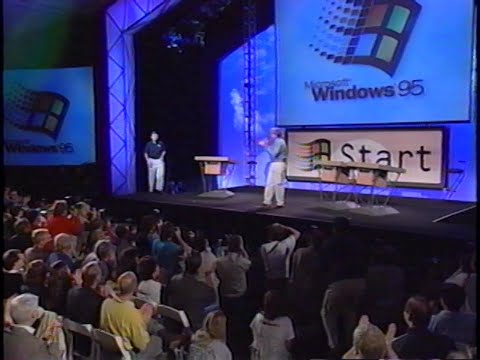
What Gates talks about
Bill Gates co-hosted this Windows 95 launch keynote with Jay Leno at the Microsoft campus in Redmond on August 24, 1995, introducing the new operating system and its main features for personal and business computing.
Also known as: Microsoft Windows 95 Launch with Bill Gates & Jay Leno; Windows95 Launch Show with Bill Gates & Jay Leno; Windows 95 launch event.
Bill Gates uses the Windows 95 launch event to explain why the new operating system matters: it combines Windows and MS-DOS into one integrated product, is compatible with most existing hardware and software, and is designed to make computing faster, easier, and more fun.
He also frames Windows 95 as a platform shift. Gates emphasizes the Start menu, right-click commands, plug and play hardware, long filenames, better networking, and support for both individual users and businesses.
The launch is presented as a broad industry moment, with Gates highlighting global shipping plans, corporate adoption, and the way Windows 95 was built to unlock the next stage of personal computing.
Jay Leno hosts and interviews Gates; Brad Silverberg closes the event, with various Microsoft presenters and employees throughout.
In his words
“We decided to take the extra nine months in order to test Windows 95 thoroughly”
“Make sure it met the highest quality standards”
“Computing faster, easier, and more fun”
“This is a platform for new technology”
“The original vision of "a computer on every desk and in every home" is slowly but surely coming true”
Key points
- Windows 95 was delayed to be tested thoroughly and meet high quality standards.
- The product combines Windows and MS-DOS into one integrated system.
- Gates says Windows 95 is meant to make computing faster, easier, and more fun.
- He highlights the Start menu and right mouse button as major usability improvements.
- He stresses compatibility with existing hardware and software.
- He frames Windows 95 as a platform for new technology, including plug and play and multimedia.
- He says the launch is global, with shipping planned in many languages.
Full transcript: Bill Gates, Windows 95 launch with Jay Leno (1995)
[subtitles by Blue Horizon, cleanup by Kugee] [BGM: JAMAICA DUB A - Stephen A Gaboury, Machun] DJ: Tell them my selecta!
SELECTA! Tell them my selecta! SELECTA! Tell them my selecta! SELECTA! [upbeat drum music] JOE BELFIORE: I know a guy who once actually wore a pajama top to work.
And I think he thought it was a shirt or s-- That was you, Bill! [laughing] [laughing] Wasn't it? FEMALE: It's kind of fun to be in an airport and overhear someone talking about your product, and thinking "I'm-- I'm doing that." MALE: Both Cristiano and I had babies going during the duration of these projects. And-- [baby cooing] MALE: Both Cristiano and I had babies going during the duration of these projects. And-- MALE #2: You look wonderful, by the way! [laughing] BRAD SILVERBERG: Is this the nicest package you've ever seen? [gasping] BRAD SILVERBERG: Is this the nicest package you've ever seen? BRAD SILVERBERG: Is this the nicest package you've ever seen? MALE #3: Even though I'm a marketing guy, you can believe me; because when you hear this sort of-- this sense of excitement from within the individual, you know that individual is REALLY committed. MALE #4: HELP! [suspenseful music] SRINIDHI VARADARAJAN: No, we take everyone's comments very personally into heart, whether they're good or bad. BILL: Do we care? This is a part of our identity, our life blood. Do you remember this? [distant boom] BILL: Do we care? This is a part of our identity, our life blood. Do you remember this? BILL: Do we care? This is a part of our identity, our life blood. Do you remember this? MALE #5: Just an incredible amount of-- of energy that-- just waiting to be spent. [all laugh] FEMALE #2: Well, I work with somebody who broke his neck. [splat] SRINIDHI: This guy; he broke his neck during backflips.
[AGONIZING SCREAMING] SRINIDHI: This guy; he broke his neck during backflips. Then, one-- one and a half weeks after breaking his neck, he was in at his computer fixing bugs. MALE #6: What gets the most jazzed about this whole deal is that it's done. ["Yeah, yeah!"] MALE #7: What kept me being sane? Being insane. ["Crazay!"] ["Crazay!"] MALE #8: Bill will eat anything, this is like a goat! [goat noises] Uh, you mean cans, and paper products. FEMALE #3: I eat donuts. [splash] MALE #7: Popcorn, pizza, and anything that doesn't crawl real fast. [raspberry noise] MALE #7: Popcorn, pizza, and anything that doesn't crawl real fast. MALE #7: Popcorn, pizza, and anything that doesn't crawl real fast. SRINIDHI: Junk food in mass quantities. [pig noises] BACKGROUND MALE: Cheetos. JOE: Celery. MALE #9: Coffee. FEMALE #1: I think if you wanna find out who stayed the longest in the building without ever leaving, you'd have to move over to the developer side. BRAD: Well, I would certainly say personal hygiene has suffered over the last couple of years. [Brad chuckles] BRAD: Well, I would certainly say personal hygiene has suffered over the last couple of years. FEMALE #2: That's not true, we're all-- MALE #1: A very clean person. FEMALE #2: Yeah, people in this group are quite attractive on average. MALE #1: Uh, what's going on here?
JOE: No, I guess at the moment I'm not dating much. [laughs] MALE #10: My closest ally is the team. FEMALE #1: I have to say my husband. SRINIDHI: Pandas. MALE #11: Best day is August 25th, cause it's the day after we ship so I can get married. [laughs] MALE #11: Best day is August 25th, cause it's the day after we ship so I can get married. MALE #8: Where do I want to go on August 25th? BILL: I wanna go beat myself on a mountain wall. FEMALE #1: Hawaii. MALE #7: Las Colinas, Texas. JOE: Maybe the pyramids. FEMALE #3: Disney World. FEMALE #2: Starbucks. BRAD: Is this the nicest package you've ever seen? [gasping, again] BRAD: Is this the nicest package you've ever seen? [clapping] BRAD: Is this the nicest package you've ever seen? ["Yeah, yeah!"] BALLMER: How much do YOU think this advanced operating environment is worth? Wait just one minute before you answer! Watch as Windows integrates Lotus 1-2-3 with Miami Vice! Now we can take this Ferrari and paste it right into Windows Write.
Now how much do you think Microsoft Windows is worth? Don't answer! Wait until you see Windows Write, and Windows Paint, and then listen to what else you get at no extra charge: the MS-DOS Executive, an appointment calendar, a cardfile, a notepad, a clock, a control panel, a terminal, print spooler, RAM driver, AND, can you believe it; REVERSI! That's right! All these features and Reversi, all for just-- How much did you guess? Five hundred? A thousand?! EVEN MORE?! NO, it's just $99! That's right! It's $99! It's an incredible value, but it's true! It's Windows from Microsoft! Order today! EXCEPT IN NEBRASKA... [guitar, piano, and organ music] FEMALE: Windows 95 has allowed me to do things that I would never even dream of doing before.
[fireworks] [guitar riff] [guitar riff and drums] MALE: I've had eighteen windows open at one time. FEMALE: To me, that was magic. MICHAEL: It was very, very quick. FEMALE #2: I like that, that's good. [giggle] MALE #2: And we can switch back and forth between those programs to watch what the car is doing live on the track. MALE #3: They might want broccoli, they might want T-bones, they might want french fries. MALE #4: There is very little that you have to know to make it work. MICHAEL: It was very user friendly, it was very accessible. MALE #3: I have no idea how this works. SARAH: I take the CD, put it in, and then the bird comes. It's really easy. MALE #5: It's really great to be in an operating system where you can-- you can do both. You know, you can have fun, and also get work done.
FEMALE #2: It eliminates three times the work. FEMALE #1: It help me keep up with the big guys. MALE #1: We couldn't do this before. MALE #4: It has just become a, uh, uh, a totally different ball game. CONNIE: There's this little button I think you push. [rendition of 'Start Me Up'] ANNOUNCER: Ladies and gentlemen; welcome to the launch of Windows 95! (applause and cheering) [applause and cheering] JAY: You know, I can't believe what an incredible product this is.
You know, before I met Bill Gates, I knew almost nothing about computers. He was kind enough to lend me one; this beautiful 1975 Altair 8800. (laughter) This thing has a worse memory than Rosa Lopez. (laughter) The nice thing about it though; you can put twenty phone numbers in it and within 45 minutes, [snaps fingers] call any one of them back just like that. [laughter] JAY: Pretty amazing stuff. CREW MAN: Okay, we've started, Jay. JAY: But let me tell you about something REALLY incredible. ANNOUNCER: Ladies and gentlemen; Jay Leno! [cheering, applause, and music] JAY: Hello! (cheering, applause, and music) [cheering, applause, and music] Thank you! (cheering, applause, and music) [cheering and applause] Thank you, thank you! (cheering and applause) [cheering and applause] Thank you! (cheering and applause) Welcome, Microsofties. Nice to have you all here.
[slight laughter] As you know, I'm the host of the Tonight Show on NBC, which stands for "Now Bill Compatible". (laughter) Actually, I'm here to tell you about this Windows 95-- In fact, let me give you an idea-- to give you an idea how powerful... ...Windows 95 is; it is able to keep track of all of OJ's alibis at once. [laughter] Pretty amazing stuff. Yeah. The sleeping limo driver, the golf game, it's all in there, it's all in there. [slight laughter] You know, Bill has done so much to market Windows 95. You know, when I first met with Bill-- and I kind of questioned his initial idea. That's why I bought into the project. I said; "Bill, you know, you're smart, you're a genius... ...but is Amway really the way to go?" [laughter] You know, I-- It didn't feel right to me.
And of course, I was brought into the project. Now, the reason I was chosen for this job; I'm uh, I'm not really computer literate. I should explain that right now. This is sort of a "my fair lady thing". He's Rex Harrison, I'm going to be the Audrey Hepburn. [slight laughter] When I first got a sophisticated piece of electronic equipment, you know, I never get it; it took me like two hours just to read the directions, took me another two hours to get the thing all, you know, totally hooked up. And of course, that was just the Clapper, alright? So that'll give you some idea, basically-- (laughter) basically where I'm coming from. See, when I play with my computer, I finally learned how to do this. Now, there's a problem with fake mail on the Internet. Are you aware of this, folks? Do you know about this thing that's even going around? This is where, you know, pranksters and just these people can send pretend messages from Bill Clinton, or-- or even Bill Gates. Which I think is kind of scary. I mean, think about this: Can you imagine the consequences...
...of sending a fake message from the most powerful man in the free world? Or even one from Clinton? [laughter] Really, this is a frightening, frightening scenario! (laughter) Now, one thing I noticed about Bill; even though he's like a computer genius and all that kind of stuff, I was at his house last night. Very modest little wood frame house right outside of town. [laughter] You've probably seen it. Beautiful-- beautiful little double-wide, nice thing he's got there. (laughter) No, but you know, you think, oh, you think he's, you know, you think; "Oh, he's so much different. He, you know, so much genius and all." Not-- not necessarily so. I went into his little den where the TV is, his VCR still flashing twelve. Okay? [laughter] So this-- (laughter) [applause] This made me feel very good! I felt very, VERY good about the whole thing. (applause) [applause] Let me-- [chuckles] (applause) Let me welcome you here to the main tent in Redmond.
Uh, this will be a circus permanently after this is broken down. [slight laughter] Also, to all of you joining us via satellite at locations around the world, this is a momentous occasion, ladies and gentlemen. You know, Windows has been ready to launch for months now. The launch event was going to happen originally in March, then you heard about that whole silly little mix-up with the justice department! [slight laughter] Oh, those wacky folks! They were refusing to give their OKs, so Bill asked me to kind of step in, uh, go to Washington trying to smooth things over. Again, that's why I was brought into the project. [slight laughter] When I met with the folks in Washington, initially, you see, here's the delay: Initially, I forgot to tell them about Windows 95's ability to delete files. Once the Whitewater people, the senators-- once they heard you could delete files; [laughter] [claps] man, they HAD to have it! [applause] They HAD to have it, and they put it right through!
[applause] So... (applause) [applause] Yes. (applause) [applause] [unintelligible] I'm sorry it took so long to straighten that out. But now, let's welcome the chairman of Microsoft. Listen to this: This is a man-- a man so successful, his chauffeur is Ross Perot, ladies and gentlemen. (laughter) Please welcome Bill Gates, and the Bill Gates dancers! (cheering, applause, and music) [applause] Hey, Bill. (applause) [applause] GATES: Thank you. (applause) [applause] Thank you, Jay. I appreciate you're making excuses for us. [slight laughter] But-- but the truth is, we decided to take the extra nine months But-- but the truth is, we decided to take the extra nine months in order to test Windows 95 thoroughly, and make sure it met the highest quality standards.
We wanted people to be able to appreciate how Windows 95 makes computing faster, easier, and more fun. JAY: Alright now, see, this is the part that worries me; its "faster, easier, and more". See, I'm... [exhales] I'm kind of a computer virgin here, Bill. And... (laughter) As we go through this, I hope you'll be gentle. I hope you'll be kind. (laughter) [laughter] Alright? GATES: Well, Windows 95 is so easy, even a talk show host can figure it out. [laughter] JAY: Ooh, woah, woah! [slight applause] Oh, my! GATES: Why don't you show us how to demo it? JAY: Oh, no, no, no, no-- Eh, I'll do that. You know, for the past couple of months, I've had Windows 95 running on a computer in my office. Been trying it out, seeing what it can do, you know, and I have big news, folks; I haven't broken it, and I figure if I can use it, anybody can pretty much use this thing.
GATES: That's great, but I want you to show us how to use it. Since you're such an expert, show us some of your favorite features. JAY: Uh, favorite features... What are you saying, Bill? I don't know how to do this? And maybe I can't, uh, handle this little computer thing? Maybe I don't have the guts to kind of make it work? GATES: I think we paid you enough, you should do the demo. (laughter) [applause] JAY: Wow! (applause) [applause] Alright, hang on, hang on, woah woah woah! (applause) You know, sometimes these big CEOs, they, uh, get a little out of touch with the product. So, let's go to square one, let's go back to the basics, and exp-- I'll explain it for you. GATES: Alright. JAY: And again, for some of the layman out there. Uh, this here is the mouse. This is the mouse, you move that around. Uh, this here is the mouse tail. [slight laughter] This will, uh, send all the main mouse information to the main mouse hutch in here, [laughter] where...
most of the mouse equipment is kept with the other mice. [laughter] It's all in the... This is your main mouse area, essentially. Right here. [laughter] This is your main mouse area, essentially. Right here. GATES: I'm getting a little worried that you really don't know much about Windows 95. JAY: No, no, no, no, no. I'll show you, I'll show you. See, what I really like is that everything you need to do, I can do right from the Start button. Here, you see that? Look at that, Bill. Huh? Huh? Boom. Right there. You got Start, everything's here under the program menu. See? If I want to add new programs, just pop up to there. Boom. There you go, programs right there. See, everyone? Very, very simple. GATES: When people upgrade from Windows 3.1, all of their program groups and other customizations are automatically converted over to that program menu. JAY: Oh yeah, that automatic customization conversion thing, that's what sold me, folks! [slight laughter] That's it! That's right there!
[slight laughter] Now, in the unlikely event that I forget to do something, see, Windows 95, so you got your help button right here. And believe me, I need that. [slight laughter] There's your help button, right there. Oh, there you go. Well, I pressed the button. But that's your help button. [Gates chuckling] I'll get rid of that, and boom. So, you get back to here. GATES: Very good, very good. JAY: And go back right up to, uh... Let's do it again, Bill. There you go. There you go, help right there. [Gates chuckling] You see? See? And here's one of my favorites; when I click on documents, there you go. I can go over here, the Windows 95 launch script is in there. [slight laughter] And if I ever chose to look at it, I could probably find out what we're supposed to do. [laughter] And if I ever chose to look at it, I could probably find out what we're supposed to do. (laughter) [applause] But it's right-- it's right in there. (applause) GATES: It looks like you've been making great use of the long filenames there. [deep loud voice] JAY: You know, Bill, I have been making good use of the long filenames. [slight laughter] Uh, in fact, let me tell you-- you know, folks, I wanna show you something. [slight laughter] Uhh... [slight laughter] I wanna show you a little video clip I made right after I first got, uh, Windows 95 up and running. I was SO excited, yeah.
You have no idea, the elation-- you know, I had to run out of my office-- Well, here, here. Lemme click it on for you. You take a look. [orchestra music] ["THE YEARS OF OUR LIVES!"] [laughing] ["THE YEARS OF OUR LIVES!"] [applause and cheering] ["WITH THE SOUND OF..."] [applause and cheering] [unintelligible singing] [applause] ["FOR A THOUSAND YEARS!"] JAY: And here's the amazing thing, Bill: Before Windows 95, I could not sing a note, ladies and gentlemen! (laughter) [applause] Pretty amazing! (applause) GATES: Alright, let's-- let's get on with this demo. (laughter) [laughter] JAY: Oh. Oh, yeah yeah, the demo.
One thing I also like is that you can do a bunch of things at once. Like, you got your taskbar, let's go right down there. A little taskbar there, you can click on there. You see? And I can change my mind if I go over here. This one too. I can change my mind faster than Bill Clinton. Look at that, huh? (laughter) [laughter] "Healthcare or no healthcare? Republican today? Democrat tomorrow?" [laughter] Sure, there you go! Let's flip it back and forth, back and forth! Easy as pie-ola. That's a technical term for all I know. [slight laughter] GATES: Well, we designed Windows 95 after listening to all the feedback from all of our Windows users. There were a lot of complaints and frustration out there. One of them was that people are confused about where to find commands. So, not only do we have that Start menu, we also can use the right mouse button to let you get to all of the commands that affect the current selection.
JAY: You know, folks, folks, people have been paying for this, uh, right button here for years and years. [laughter] Finally? You know. I find it can make an excellent castanet when I would have Spanish friends over. (laughter) Clicking constantly on will provide a certain amount of rhythm, and it's uh-- nice to see it finally being used. [slight laughter] GATES: I-- I think I've got a good example-- uh... JAY: Yup. GATES: ...of how to use it. I've come up with some joke ideas here. JAY: These are jokes you wrote, Bill? GATES: Absolutely. JAY: Hey, fabulous! GATES: Yeah. (laughter) [laughter] It's right here on the desktop. JAY: Oh, right there? GATES: So, if I do this right click... JAY: Yeah. GATES: ...I can say send, and I can put it on a floppy disk... JAY: Mhm! GATES: ...that you can take back and use in your show. JAY: That would be, you know, that one that he had a-- Well, what was that one of you told me about the two modems going in a bar? GATES: Yeah! JAY: Oh, they're fabulous. [laughter] Just, you know, really a terrific comic, really.
(laughter) It's a natural mimic. GATES: Wha-- JAY: Uh, yeah, yeah, so that's great. You just send those off to my floppy disk, and I'll check 'em out. GATES: But, if you don't want them... JAY: Bill! GATES: ...all I have to do is use this undo, and, uh, it'll delete them off of that floppy disk. JAY: Maybe that would be best. [laughter] I dunno. (laughter) GATES: A key benefit of Windows 95 is that even with your existing applications, the system is easier to use, and has less limitations. Let's do a little "before and after" test. JAY: Well, why do I-- why do I think I'm going to get screwed and be the "before" guy? [Gates chuckling] [slight laughter] GATES: We've got two identical systems. JAY: Alright. GATES: 486, 33, 8 megabytes. [Jay exhales] GATES: 486, 33, 8 megabytes. We've got Jay on the left; that'll be the outer screens. [Jay exhales again] And he's got Windows 3.1. And he's got Windows 3.1. JAY: 3.1. GATES: I'm over here, I'm on the center screen, and I've got Windows 95.
Now, both are running identical applications. [Jay coughs] Now, both are running identical applications. Now, both are running identical applications. But we're going to see how well these things last. It's almost like a little battery commercial here. [slight laughter] And, uh, so first, let's see how many resources are free. Jay, you can use that help menu. JAY: Okay. GATES: And get the number of resources. JAY: Go down to your program manager. Alrighty... It looks like, uh... I'm 11% percent free. 11% percent fat free, ladies and gentlemen. [slight laughter] GATES: Alright. Over here on Windows 95, I'm using the resource monitor, and I've got 82% free. And so, let's go for a fifth program. You've got four running there today. JAY: Mhm. GATES: Uh, let's go ahead and click okay, and then start up another copy of Excel. JAY: Okay. GATES: Oh no. JAY: Oh, I got screwed. What a surprise.
(laughter) Yeah, it helps a little bit when you own the company, doesn't it?! (laughter) [laughter and slight applause] Good! [slight applause] GATES: Well, I'm over here, I'm starting up another copy of Excel. JAY: Oh! GATES: Uh, that's going great. I can go over here and start another copy of PowerPoint. And, uh, all of this, and we can see, we can just call up that resource meter, and we're 78% free. So, reducing these limitations is going to make a lot of Windows users happy. [applause] JAY: Oh yeah, very impressive. There you go. You see that? (applause) Even a novice like myself sees that. I'm only 11% free. [Gates chuckles] Let me ask you a question: Now let's see, here's my thing, because this is what people-- We have this in our office, this is what people are asking me; Are they going to be scared to upgrade from this one, to... this one?
I mean, you know, the old ways are best, people kind of like the machine they've been using, blah, blah, blah, blah. JAY: I mean... GATES: And that's a very good point. And with Windows 95, we've paid special attention to making the entire upgrading process simple and painless. JAY: "Simple and painless!" Kind of sounds like laser hemorrhoid surgery, doesn't it, folks? [laughter] Simple and painless? Are you wearing that, Bill? What they do with the lay-- ascent well-- [laughter] GATES: ALRIGHT! So... JAY: They can pin p-- Alright, you're good, you're good. GATES: I can see that. [laughter] GATES: Uh, anybody here-- anybody here could do an upgrade with ease. JAY: Alright, ladies and gentlemen, this sounds a bit unorthodox. I say, Bill sounds MIGHTY COCKY for a guy worth only thirteen billion dollars. (laughter) What do you say, everybody? Shall we call this bluff? See how easy the upgrading thing is? [applause] I say yes!
(applause) [applause] YES! (applause) [applause] Thank you. (applause) We'll take a couple of volunteers. Uh, let's see, volunteers, ehh... Anybody, who wants to volunteer to do an upgrade--? Look at all these frightened people! [slight laughter] Anybody here want an upgrade? Just pick some people at random. ATTENDEES: Here. Sir, the man with the, uh... ATTENDEE: [unintelligible] JAY: Right there, that guy with the glasses? ATTENDEE: [unintelligible] JAY: So you wanna come up? Sure, come on up, come on up. Come around this way. [laughter] Come on, this will serve us. Come around this way. Uh, let's see... Let's find a, uh... Let's find an "other gendered" person here, a... That's what we say in the computer industry; they're "other gendered" people. Uh, anybody along here? [distant whistling] This woman here? Come on up, come on up. Sure, sure. Come on up. Where'd that guy go? [Gates chuckling] Oh, come around here. GATES: He's coming. [slight laughter] JAY: Okay, I think it's Weird Al Yankovic, ladies and gentlemen. (laughter) Come on up. Hi!
JULIE: Hi! JAY: Hi, what's your name? JULIE: Julie. JAY: Julie, where do you work? JULIE: Uh, Marysville. JAY: Oh, Marysville, okay. And, uh, sir, your name is? PETE: Pete. JAY: Pete! How are ya, Pete? Lovely outfit. Uh... [slight laughter] PETE: Thank you. Made it myself. JAY: Are you single? [Pete and audience laugh] [applause] You, uh... (applause) It's a beautiful looking thing. PETE: Thank you. JAY: Alright now, you understand what we're going to do here? JULIE: Yes. JAY: Okay, I know I've explained; there will be some partial nudity involved. [laughter] Are you comfortable with that? (laughter) PETE: Okay. JAY: Okay, alright, alright. So, we're gonna go back and do some upgrading, and uh, see how easy it is. Alright? Now, Bill, why don't you fill-- You know, folks, the other night at Bill's hut, he d-- After a couple of drinks, this guy is a wild man, really. [laughter] Just unbelievable. He did an Elvis thing with that lampshade on your head. [laughter] It's just, it is really, really-- If you could just ask him to do it, I think it'll knock you out. Come on, let's go back.
We'll do the upgrade thing. Uh, Bill, you talk to the folks and do the Elvis thing. GATES: Okay. And go right through here. Go right through the curtain there, and we'll do this. Now, you guys don't work for Microsoft, right? JULIE: Right. JAY: No. No shills! No shills. [slight laughter] [Gates clears throat] GATES: While talking about the upgrade, over half of our orders for the Windows 95 upgrade are for the CD-ROM version. It's really great to see how popular multimedia has become. The CD version has extra value. It's got better multimedia help, its got the Windows Resource Kit right there, and its got a cool new game called "Hover!" that we'll see a little bit of later on. and its got a cool new game called "Hover!" that we'll see a little bit of later on. JAY: Oh yeah, yeah that-- JAY: Oh, Bill, yeah that, that "Hoover!" game, that vacuum game is fabulous. [chuckling] That "Hoover!" game. Uh, listen, we're here with upgrade expert Mike Ahern. Mike, how are ya?
AHERN: Good, Jay. JAY: Uh, why don't you, uh, explain what's happening here? AHERN: Okay, great. We thought we'd do a couple of different things back here today. We've got a 486 machine on this side running Windows 3.1. We're gonna do an upgrade to Windows 95 from the CD. Why don't you push that in and press Enter? Over on this side, we have a Pentium machine already running Windows 95. We're gonna do a plug and play upgrade. We're gonna put all this hardware inside: We've got a modem, a network card, a CD-ROM drive, a controller for it, and a sound card, and a LaserJet printer. So we're gonna do all that today. [Scottish accent] JAY: But Mikey, you can't be mixing matter with antimatter, the whole computer will blow! You can't just upgrade like that! (laughter) AHERN: Well, looks like the upgrade is underway. [slight laughter] JAY: Bill, we're off and running! Why don't you give one of those moving speeches? That one that had people in tears the other night? He is a natural orator. Here he is, good.
You do that, and we'll continue upgrading. [slight laughter] [bigger laughter] GATES: Well, Microsoft is celebrating its 20th year anniversary this year. And the original vision of "a computer on every desk and in every home" is slowly but surely coming true. We made a big bet the graphical interface would be central to this back in 1983. We basically bet our company on Microsoft Windows. And for seven years, it was a lonely, lonely crusade. [slight laughter] It wasn't until 1990 that the hardware became powerful enough that a really strong cycle of more volume and more applications got started.
And today, we have over a hundred million Windows users both in homes, and in businesses. And the pace of new applications coming out has really been fantastic. So, we set out to do with this next new version; is to create a product that goes much further in unlocking the potential of personal computing. So, what is Windows 95? It's the successor to today's Windows and MS-DOS. Instead of having two products -- which is very confusing, two different manuals, two different ways of thinking of things, we've got one integrated product. This product is compatible with the vast majority of all the current hardware and software that's out there.
But I think most importantly is that; this is a platform for new technology. This moves the whole PC industry up to a whole new level. As we've been going through the development of this product over the last few years, it's been fantastic to see the support we've gotten throughout the industry. Uh, today in our pavilion area, and in many of the launch locations, people have a chance to see some of that support: go out and see the new plug and play systems, to see the new multimedia AutoPlay titles. This is the first operating system where -- well in advance of the product shipping, uh, big investments shifted over so that the majority of new work was going on on the new system, not the system that was out there with the installed base.
Now, in order to have a big success with this product, there's really two constituencies that we had to think about: we had to think about individual users. We had to make it exciting for them to do the upgrade, so that they'd go out and talk to their friends about it. But we also needed to appeal to businesses. Businesses have put so much into buying the PCs, and putting the networks together, and having an infrastructure to answer all of those support questions, and make sure all the applications from electronic mail, to the mission critical applications all tie together across the wide variety of computers that a typical business has. Oh-- uh, in order to make this attractive to business, there were several key points we knew we had to achieve: the first is to lower the support costs.
The user interface goes a long way with that. One of the elements that comes into the user interface is the idea of wizards. For example, think of a task that's been almost impossible, like adding new hardware. With the wizard, that becomes straightforward. Another complex area has been networking: and we've now integrated 32-bit networking into the product. And when I say "networking", I don't just mean to Microsoft's own products, I mean to NetWare, to Unix, to mainframes, to mid-range systems, this 32-bit networking is far easier to use, and far more reliable than any of the networking that's been out there today. We also felt that we had to improve systems management, to give administrators more visibility of what's going on with all their systems, be able to control the options, install the software remotely-- and that's why we have the system profiles and user profiles.
Um... We also felt we had to offer increased user productivity. That's where multitasking, high speed printing, high speed disks to access all come in there. A final point is to make this migration straightforward. We've got our systems management server, version 1.1 that's now shipping that lets you do Win95 installation, and we have a lot built into the product. For example, if you use a disk utility that doesn't work with the new disk format, you'll get a dialog box immediately when you run that utility, and it'll tell you what you do to go and get a new version of that product. So many things have been put together to help with this migration; the planning kit, the resource kit, an incredible number of things.
Now, today is about Windows 95, but I just wanted to quickly talk about the impact of this product on Windows NT, and Microsoft's efforts with the BackOffice up on the server. The success of Windows 95 is a major milestone for Windows NT. Windows NT addresses client server applications, and because Windows 95 is 32-bit, and has an identical application interface, you can move applications back and forth from the server to the client very easily. Now, this is absolutely critical in the client server environment. The applications today have the same interface, and as we upgrade the shell in the next release of NT, all the user interface elements will be identical.
For an administrator, this means only thinking about one security model, one directory model, one way of interfacing with the events and error messages that come out of the system. Uh, of course, long file names are built right in there, uh, and by having our enterprise mail solution; Microsoft Exchange, which is in a "late beta" phase already, having that connect to the Exchange mailbox that is built into Windows 95, we're going to bring electronic mail to millions of users who've never had that before. I wanted to quickly give you just a quick demo of some of these features. Now, some of them, because we eliminate the complexity, there's almost nothing to show.
Here, I'm going to show you; setting up a network printer. And with Windows 3.1, this is complicated. It's guaranteed to generate several support calls just to get this right. Well, what I have to do here is simply find the machine that I want to print to out on the network, click on that, and I'll see in there, the shared printer. All I have to do is drag that printer into my printer folder. And what it does is it brings up a wizard, I answer a few questions here, I say in this case "I don't want a test page," and you can see its going and taking the drivers, and the font information, and bringing those across, and so the driver is set up automatically.
JAY: Uh, Bill, you just-- Keep doing-- [slight applause] I'm just here to explain, uh... ...any technical problems you have. So, again, keep doing what you're doing, and if you get stuck or you need any questions, just come to me. GATES: Alright, you stay over there. JAY: Alright. (laughter) GATES: I want to show one other thing about, uh, how I can manage the desktop. [slight laughter] [Hover! plays in the background] Uh, this is the system policy editor, and we can see we've got the names of our important users here. [slight laughter] Um, and uh... What we're going to do is we're going to-- we're going to show that you can make-- help people be more productive. [slight laughter] [slight laughter] Um... Jay, why don't you just log out for a second? [slight laughter] JAY: Hm? GATES: I need to do some system maintenance. JAY: Uh, Bill, you sure? I'm doing a little financial thing here. I'd hate to see you-- (laughter) I don't wanna get you into a financial thing where you lose a lot of billions of dollars here.
GATES: Okay. Well... JAY: You want me to-- GATES: Go-- go ahead. JAY: Oh. GATES: Uh, with this policy editor, you can manage all the computers connected to the network. From simple things like, uh, we'll go in here to "Jay Leno", [tada.wav] From simple things like, uh, we'll go in here to "Jay Leno", select his desktop, and uh, you know, let's just take his wallpaper. Uh, we can, um... ...go ahead and say that we wanna change, uh, the settings there, uh... That's... pretty straightforward. Okay, as soon as we do the check... And we get a "Blue River" theme there, we'll go down and, uh, we'll make it so that this particular user can only run a name list of applications. And so, he can't just pick any-- anything that he wants.
And so, as soon as we're done there, we'll go ahead and save that out. And now, Jay? JAY: Hm? GATES: Go ahead, log back in and, and... JAY: Alright. GATES: continue your skill building there. JAY: Yeah, I'm skill building, Bill. Skill building. Skill building, Bill. [Windows 95 startup sound] Okay, here we go. And go right over here to Hover!, and uh, boom. And we're in. No, we're not in. Hey. [slight laughter] [chord.wav] Hey. Hey! Hey, I got screwed. [Gates and audience laughing] Hey. (laughter) [laughter and slight applause] What are you like, uh... [slight applause] What are you, the Bob Dole of V-chips now? [laughter] No-- no video here? What is this? (laughter) I'm trying to build my skills, and you cut me out of the game. [slight laughter] GATES: Well don't worry, Jay. We've got plenty of fun waiting for you out in the pavilions. [slight laughter] We've even arranged special transportation for you.
JAY: Special transport-- really? GATES: Yep! Yeah, you're going to love it. JAY: Oh, well alright. It's probably that Harley I asked for. GATES: Yeah! JAY: You know folks, some of you don't know; if you peel away that "Microsoft" on the shirt, there's a little JCPenney weasel right under there. [laughter] No, no, no-- Nobody knows that. [slight applause] But I'll go get in there, okay? JAY: It's-- It's back here? GATES: Yes. JAY: Alright, let me follow me back here. JAY: This is very exciting. You know... GATES: Thanks, Jay. JAY: ...this guy's got a lot of joy, bet he-- bet he got me a Harley, a new bike. Let's see, here we are. Oh! Wow! Isn't this lovely? [laughter] Wow. (laughter) By the year 2000, Al Gore will have us all driving one of these. (laughter) [laughter and slight applause] It's a beautiful, beautiful car. This is Bill's personal automobile, by the way. [starts engine] Wow, this is... That's the kind of thing to go courting, huh? [Bill chuckles and slight laughter] (applause and cheering) (applause) GATES: Well, while Jay's headed out to one of the pavilions, I thought something that'd be even more convincing than demonstrating some of these features; is hearing from large customers who've already installed thousands of cust-- copies of Windows 95.
One of our best customers is Ford Motor Company. [heavy guitar sting] [remix of 'Start Me Up'] MALE: Ford has pushed Windows 95 very hard. Ford is trying Windows 95 on the plant floor, in the engineering staff, in their network support, global network support, and every user at Ford has an assignment to try to break Windows 95. FEMALE: For the company of this size, there are many agendas, and many people to please. Reduced maintenance and support, increased productivity for the user, seamless networking, and a backbone structure for Ford's global IS strategy.
MALE #2: At Ford Research Laboratory, the users want to use several programs throughout the day: Some of them that require enormous amounts of conventional memory, others have special configurations, and Windows 95 allows Ford to do that a lot easier. FEMALE #2: People who work in the Ford Scientific Research Labs are very demanding on their computer systems. They use a lot of different software for very specific applications. MALE #1: They're throwing the toughest applications at it, the toughest in-house applications, the toughest mix of applications, and seeing if they can bring it to its knees. And they haven't been able to. MALE #3: A company like Ford has thousands and thousands of computer systems. It has networks that go back to the old twisted pair.
Ford needs to be able to integrate their system smoothly without stopping production, and without stopping operations at any place, at any time. Windows 95's integrated networking is unique! MALE #1: Windows 95, just... is able to take everything our toughest users are able to throw at them. It's able to handle resources better. FEMALE #2: You are able to print very large documents while working in another application. MALE #1: It handles network traffic. FEMALE #2: You are able to paste large objects in-between worldwide websites and PowerPoint. MALE #1: The connectivity and re-connectivity is there. FEMALE #2: It-- It increased productivity in the usefulness of Windows tremendously. BACKGROUND MALE: Does it park your car for you? MALE #4: It doesn't park your car for you. MALE #1: The user is able to see their previous desktop with the new Windows 95 interface.
And... it's very comfortable for them. MALE #2: Tech support's been affected by Windows 95 by less calls from the Windows 95 users compared to the Windows 3.1 users. MALE #6: Software engineers at Ford are able to use the same applications they were under Windows 3.1, and they work FASTER than they did under Windows 3.1. You can get more done in the same amount of time. MALE #5: Windows 95 has the ability to communicate well with all of the network technologies that Ford has employed throughout the corporation. BACKGROUND MALE: Is that a surprise? MALE #4: "Is that a surprise?" Kind of-- No. MALE #1: I mean, they don't have to shut down an application to go work on another application. They're able to leave them all up and running, and do the job they need to do without picking their tools up and putting them away, because Windows 95 allows them to keep them all up right available off the taskbar.
MALE #3: Ford already has 2,000 desktops loaded, and by the end of this year; 5,000. By the end of next year; 30,000 desktops will be loaded, and ultimately, Ford will have over 80,000 desktops loaded with Windows 95. FEMALE #2: Anything that Ford is going to distribute or implement on a wide basis; they really want to make sure that it works a hundred percent before a customer uses it. They use the same philosophy with Windows 95. They really tested it to the extent that it could be tested, and it did wonderfully. Ford Research Labs is happy. (applause) GATES: One very important aspect of the Windows 95 launch; is that it really is a global launch.
Before the end of this year, we will have shipped the product in over thirty different languages. And in fact, today, the product is being launched in twelve different languages. This allows people who have global networks to tie everything together, and the phenomena we're seeing here in the United States will be repeated around the world. Let's take a look at some of the other global corporations who have been helping us to test and prove Windows 95 in their operations around the world. [upbeat marketing music] MALE: We have all sorts of computers at Dow.
One of each kind; midrange, mainframe, personal computers, lots of them. Well, the problem is; overtime, operating systems change, desktops change, and every time they change, you have to go back and change the systems that make them talk to each other. MALE #2: Over a year ago, we started analyzing what standards we wanted for client server, and at that point, Windows 95 became available for beta testing. MALE #3: Oh, users are very excited about it. They feel the ease of use, the compatibility that now can spread across businesses and functions within the company, just provide us with a real platform to deploy their new applications on. FEMALE: Windows 95 works the way I work, because I'm a very energetic, spontaneous individual. I have many tasks going at one time. MALE #1: Users want to do it themselves.
They want to create their own databases -- search it, find it, locate it, no matter where it's scattered across the globe. FEMALE: With Windows 95, connectivity allows me to disseminate information back to our managers to make critical decisions. MALE #3: Microsoft, with the migration kit, offers us all the resources, information we need to deploy Windows 95 at Dow. MALE #2: Our plan is to replace 26,000 workstations on a global basis with Windows 95. MALE #1: We're switching out the desktops, switching out the operating systems, switching out the network, the network protocols, about the only thing we're not switching out is our users. [upbeat marketing music continues] [fast-paced technology music] BACKGROUND MALE: We're taking a huge risk.
MALE: Whenever we migrate our entire center to a new platform, we're 24 by 7, so our customers are always needing our support. MALE #2: Microsoft's Systems Management Server allowed us to push Windows 95 out. BACKGROUND MALE #2: We didn't have the time or the man car to go out and visit every desktop in this building. MALE #3: I did not receive any training with Windows 95. You really don't need it. It's very simple, straightforward, you click on this button; it pulls you over here, you click on this button; it pulls you over there. FEMALE: The time that it took me to figure out Windows 95 was shorter than the time it took me to learn how to use my microwave at home. MALE #3: The speed of Windows 95 impressed me greatly. When we first put it on, everything just happened so much faster. BACKGROUND MALE #2: We got a pretty large network. We're trying to keep about 550 users working at all times, and about 120 applications. MALE #3: With Windows 95, I can open up a lot more applications than I could before.
I was getting about four or five before, and now my applications have increased to as many as sixteen. FEMALE #2: It zips through the screens. Zip, zip, zip! [beat, beat, beat] MALE #2: Uh, they love it. Uh, we've threatened to take it away from a few of them just for fun. [chime from The Good, The Bad And The Ugly] Uh, we've threatened to take it away from a few of them just for fun. FEMALE #1: First I would cry, and then I would start swinging. There's no way they're gonna take Windows 95 away from me, I'm sticking with it. [upbeat marketing music resumes] As far as my group is concerned, I was given a Cadillac. They were like; "How did you rate? How did you get this system?" Yes, they hate me, and I love it. (applause) GATES: The companies you've just seen have committed to over 300,000 desktops running Windows 95.
We're really getting fantastic support from our reseller partners migrating corporations up to Windows 95. Here, we're showing fourteen resellers that between them, have seventy major customers who've committed to migrate all their desktops up to Windows 95. I mentioned that we've got the business proposition, and we've got the end user proposition, and they're both very important and very strong. Let's look here at some of these end user benefits: easier to use, the plug and play, the long file names, the shortcuts, entertain and educate. We've made a big advance here with motion video, audio synchronization, and there's AutoPlay capability where you simply put any application in, and it's up and running. And as soon as you take it out, it eliminates all those files that have put up on your hard disk.
A major theme for Windows 95 -- and I think the entire PC industry; is developing the PC to be the communications tool of the future. And over half the new features in Windows 95 relate to communications. First, is the Microsoft Network. Not only is it a new entrant with lots and lots of great information, but it takes unique advantage of Windows 95 technologies. Uh, the WordPad editor, the-- uh, the-- the mail inbox, the shortcuts, the way you use folders for directories, all of that is going to allow us to build a wonderful community of Windows users up on Microsoft Network sharing their best ideas and working together.
[audience member chuckles] The-- JAY: Oh, Bill! Bill, sorry to interrupt. You really gotta come down to this pavilions thing, its unbelievable. Hi! How you doing? FEMALE: Hey dude, how are you? JAY: Can I, uh, show you my mouse sometime? FEMALE: Joystick, isn't it? (laughter) JAY: Uh, sure... Now this is really something. And you don't need any quarters, you can play all these games. Let me introduce you to somebody who's had more hands-on experience than Bob Packwood. It's an old friend of mine, [laughter] a guy I've been bonding with, kinda communicating, doing the computer thing-- he's really an old friend. Hi. What's your name? MIKE: Hi, Jay. Mike Matey. JAY: Mike Matey! Mike Matey is my good friend. Now-- now, what's-- what's gonna happen here? MIKE: Okay, Jay. I'm here to show you AutoPlay. JAY: AutoPlay! Is that the new Johnson Elders game? [Mike chuckles] MIKE: Uh, that would be no, Jay. JAY: Oh. MIKE: AutoPlay is a Windows 95 technology-- JAY: Yeah. MIKE: that makes running computer games and multimedia titles as easy as popping in a disc.
JAY: Oh, I see. Now, is it important that you sit in a really uncomfortable chair while you do this? MIKE: Tell me about it. It's very important though. JAY: Yeah. MIKE: Anyways, I've got "Fury³"; Microsoft's hot new action game... JAY: Okay. MIKE: ...on that CD. JAY: Pop that in there? MIKE: Pop it right in there. JAY: Yep. Alright. MIKE: We'll show you AutoPlay. JAY: Bill doesn't like the employees to be too comfortable. There we are... [CD clicks into drive] There we are. MIKE: Bob Packwood... I thought we're gonna leave my personal life out of this, Jay. JAY: Here you go. MIKE: Okay, Windows 95 is sensing there is a disc in there. MIKE: Okay, Windows 95 is sensing there is a disc in there. JAY: Alright. MIKE: Okay, Windows 95 is sensing there is a disc in there. JAY: Mhm. MIKE: Fury³, I hit play, and boom. JAY: Boom! MIKE: We are into the game! So, I'm gonna load up a saved game here... ...and show you some adrenaline pumping action. JAY: Adrenaline pumping action! MIKE: Before we do that, you might want to hold on to this f-- JAY: Oh, this is the... MIKE: Motion sickness bag there. JAY: This is one of the jokes Bill Gates wrote that was in that file. [laughter] Didn't get a chance to use it. Put it right down there. So, the idea of this game is to blow stuff up?
MIKE: That's right, Jay. JAY: So, computers are really a tool to search, destroy, and educate? MIKE: That's absolutely right. MIKE: How about if I hand over the controls to you? JAY: Eh, it's a bit unorthodox. MIKE: Let you try it. I'll give you some pointers along the way. JAY: Alright. MIKE: Let me throttle up a little bit and give you some speed here. JAY: You know, I never even thought killing could be so much fun. MIKE: Jay, just try to stay alive here. JAY: Okay, try to stay alive. MIKE: Now, the next pointer for you; follow that radar scope up in your right-hand corner. JAY: I'll follow the radar scope. MIKE: As you can see, Jay, the Windows 95 really makes this game fly and scream. MIKE: The graphics are really quick. JAY: Yeah, yeah, yeah. JAY: So, you don't really have to be a rocket scientist essentially. MIKE: You definitely don't have to be one. You know, all in all, Jay, I'd have to say you're doing pretty good for a rookie. JAY: Not bad. Now, speaking of rookies, I wonder how our upgraders are doing. LET'S SEE IF THEY'RE NAKED YET! [slight laughter] AHERN: Well Jay, we're doing great back here.
On our Windows 95 upgrade, it's humming along. We're almost done, should be done in a few seconds. How's it been going for you? PETE: It's going great. Just been, uh, clicking away. But uh, I do have one question: uh, can I have a cup of coffee while I'm waiting for this thing to finish...? [Julie giggles] uh, can I have a cup of coffee while I'm waiting for this thing to finish...? AHERN: Sure! PETE: [unintelligible] AHERN: And thanks to plug and play, we're completely done installing all that hardware over here, and we've been playing some CDs and playing a game. Have you ever put-- put a card in a computer before? JULIE: No. AHERN: How did it go? JULIE: It was so easy. It took just a very few seconds and I've been playing Pinball ever since. AHERN: So, Bill, we're all set back here. GATES: Well that sounds good, you guys. We'll check back with you later. We've been particularly gratified to see some of the really unusual, creative ways that different people use Windows 95. Here are a few end user stories I think you'll appreciate.
[heavy guitar sting, again] [remix of 'Start Me Up', again] MICHAEL: My name is Michael Johnson, and I'm a visual artist, I'm a painter, drawer, photographer, a little bit of everything. I teach at a college; I'm showing other people how to make art. Traditionally, when we think of an artist in a big studio; skylight, wonderful light coming in. My studio is about four feet by five feet, sits on a table, it's a 20-inch monitor, couple hard drives, that's as much space as I need. I've used a computer in the aid of expressing myself. Okay, anybody have any questions today on-- --the things I've reviewed? Okay, Marilyn. MARILYN: I-- MARILYN: How would you start Photoshop? MICHAEL: Okay, I'm gonna go to Start, I'm just gonna click on that, and that will start Photoshop.
[wowing in amazement] That's pretty quick. Pretty quick. Teaching is no different than making art. Art shows people insights to the artist. Teaching is another experience of doing the same thing. The kinds of things that are going to be new are going to be things like longer file names. We're not limited in Windows 95. For us artists, eight characters never cut it. We can be as creative as we want. We've got 250 characters, and, there we go. You can have a digital image that exists simply on the screen. Take that image, fire it off to a diskette, and then go someplace, and have it printed. I can have it put on canvas: watercolor, rice paper, etc., and it gives me something I can walk away with and hold in my hands. It's tactile! FEMALE: Here's your print. MICHAEL: Right. FEMALE: Just off the printer. MICHAEL: Okay, let's take it down.
MICHAEL: It is fun! It's definitely a fun thing to use. [country guitar riff and reverb] SARAH: My name is Sarah. Um, I'm five years old. CHRIS: My names Chris, and I'm thirteen years old. [Sarah giggling] The computer is really cool, because I like to play games, or I do my homework on it, and that really helps me out a lot. I had a project on ancient Egypt. Instead of going to a library, I went up to the Microsoft Network to find all my research. There's pictures, there's sounds, and there's text. A lot of things. I'd go into the reference section, and I double-click on Encarta the encyclopedia, and I'd look up stuff there. I like the World Wide Web too. I get to there by the Microsoft Network, and I like to explore around in the sports section, or-- You can download different games from up there. It's pretty neat.
FEMALE: What about back over this way? MALE: Behind you, right here. CHRIS: Yeah, I'll go this way. Up the stairs. All my friends have computers at home. I don't know anybody that doesn't, actually. FEMALE: Turn around, that guys gonna get ya! MALE: Good good good good, get, go! CHRIS: It's really easy to play CD-ROMs, cause you put the CD-ROM in the drive, and it starts up. Even someone like Sarah can do that. SARAH: My favorite game is Freddi (the) Fish. I take the CD, put it in, click it on the 'puter, and the big circle comes, and then the bird comes. [in-game soundtrack plays] It's really easy. [FREDDI: "Thanks for getting the flowers, Sam."] [SAM: "Sure thing, Freddi."] (applause) GATES: The success of Windows 95 will be driven by word of mouth from more users like these.
The new generation of Windows 95 applications will be a major part of this. Now, Microsoft has already upgraded the most popular Windows application; Microsoft Office. As part of our Office preview program, over 200,000 people have started evaluation and begun the move to Office 95. We're really excited that we were able to deliver Windows 95 and Office 95 together, so they're available for customers today. JAY: Bill! [Jay hyperventilating] Just ran over from... Bill, is it true what I've heard? I've heard that EMPLOYEES are actually at their desks working on their computers instead of hanging around the coffee machine. [groaning] Bill, is it true? GATES: Well, in Seattle, it's pretty hard to take people away from their coffee. GATES: Well, in Seattle, it's pretty hard to take people away from their coffee. JAY: Yeah...
GATES: Well, in Seattle, it's pretty hard to take people away from their coffee. [slight laughter] But, Office 95 has got the leading applications: Word, Excel, PowerPoint, and now we've added Schedule+, that lets you manage your schedule. By the way, Jay, what office suite do you use down at the Tonight Show? JAY: Huh? Oh, yeah. Well, as you know, NBC, pretty much on the cutting edge of technology, ladies and gentlemen. Uh, actually, you know, this is where I think we could probably use some help. We sorta do it kind of the old fashioned way. Like, when we put-- when we transfer jokes to cue cards, um... Well, here, let me show you how we do it. It's kind of-- it's-- it's... Well, take a look. FEMALE: Jay, it's time to go to makeup.
JAY: Oh yeah, just let me drop these jokes off at cue cards. FEMALE: Okay. [choir singing] (laughter) JAY: Brother Simon, if you'd be so kind, could you copy these for tonight's monologue? SIMON: Of course, my son. (laughter) Hey look, brother Thelonious, more Bobbitt jokes. [both laugh hysterically] Heh... Please forgive us... (laughter and applause) [applause] JAY: Okay, now... (applause) Cause the advantage in my system is; the workers take a vow of poverty so there's no problems with healthcare or any of that nonsense, you know? They're pretty much in there, and that's that. [Gates chuckles] It is-- it is retro, I will give you that. GATES: Well, now that you've used Windows 95, I think we can improve that a little bit. Uh, we've got Office here.
[slight laughter] Uh, we've got Office here. Uh, it's the new 32-bit version, and-- JAY: You've got it here? GATES: We've got it! GATES: And-- [chuckles] Uh, there's a lot of exciting things there. Excel has been rearchitected, JAY: Mhm. GATES: it's about 50% faster, and we're taking advantage of shortcuts, scraps, long file names, and I've asked Sarah Leary of our Office team to come up and give us a quick demonstration. JAY: Not THE Sarah Leary. [Gates chuckles] Oh my gosh, it IS Sarah Leary, ladies and gentlemen! [applause] I can't believe it! (applause and cheering) [applause and cheering] Hi Sarah! [applause and cheering] SARAH: Hi, Jay, hi! [applause and cheering] JAY: Oh yeah. (applause and cheering) SARAH: Great looking tie. JAY: Thank you, thank you very much. SARAH: Saw that at JCPenney last week. JAY: Oh boy, hey there. (laughter) That was one of the jokes Bill wrote also, ladies and gentlemen. (laughter) [laughter and slight applause] So-- It's all in Bill's file. He'll send it down to you in just a second.
[slight laughter] SARAH: Well great. I'm going to show you how Office 95 and Windows 95 together can help The Tonight Show. JAY: Alright. SARAH: You can see on the Windows 95 desktop; I've actually created a shortcut to an Access database for all those cue cards of yours, so you can search for the funny ones really easily. so you can search for the funny ones really easily. JAY: Mhm. so you can search for the funny ones really easily. I've also created a shortcut to a guest list that I've been tracking in Excel. Let's go ahead and open that up. And I actually created this in Excel 5, but because Excel 5 and Excel 95 have the same file format, migrating those files to Office 95 is really easy. Let's go ahead and add in some information here. I'm gonna add in a new entry, and just start typing in. And you'll notice as I type in "Friday", that Excel will automatically complete it for me. So, all I have to do is type in a couple letters, and it'll take care of the rest for me, making it very easy to manage my list inside of Microsoft Excel.
Let's add in, uh, Bill Gates here. JAY: Hm. SARAH: You're going to have him on your show, right? SARAH: You're going to have him on your show, right? JAY: Oh yeah, yeah, we're just... SARAH: Yeah. [slight laughter] SARAH: And, uh, you'll see that, uh, Bill doesn't spend much money when he's in town, but, uh, he does garner, uh, fairly good ratings there. JAY: Let me ask something: now, this one here, right above it, uh, "Hugh Grant, $60, miscellaneous." Now, what-- uh... (laughter) [laughter] What is that? This... (laughter and slight applause) [laughter and slight applause] I'm curious as to what... SARAH: Your guess is as good as mine. JAY: Well, it got us very good numbers that night. SARAH: Yeah, great ratings! JAY: It was [unintelligible]-- JAY: I remember it was the best $60 we ever spent. [Sarah giggles and audience laughs] So it worked-- it worked out alright. SARAH: Well, let's take an average maybe of some of these people. Let's, uh, just select some of them. JAY: Alright. SARAH: You'll notice down in the status bar that Excel's auto calculate is automatically calculated the average for me.
I could also do a sum just as easily. SARAH: Isn't that great? JAY: Wow. SARAH: Now, if maybe if I wanted to print this sideways, I could do that. JAY: Um, yeah. Now see, I like to have it printed sideways, because when I give it to the NBC executives, they can read it in the tanning booths. See? That's important that they'd be able to do that. [laughter] See? That's important that they'd be able to do that. Because as they lie there, they need to see it. So, this-- that would be an important thing for me. So, can you do that? SARAH: Well, we could ask the answer wizard how to do it, if you want. JAY: Alright, answer wizard! How do you do it? GATES: Well, I'm not the answer wizard. [slight laughter] The answer wizard is actually built right into each of these applications, and it uses natural language processing technology to understand your questions, and respond with the appropriate help topics. SARAH: So, let's go ahead and ask the answer wizard the question the same way you asked me. JAY: Okay. SARAH: "Show me how to print sideways."
And, uh, I can just click on search. You notice; I'm not using any technical terms here. JAY: Alright. SARAH: "Sideways." Click on search, and you'll see that the answer wizard is finding the related help topics for me. Now, I can simply go to the "how do I" section, select "page orientation", click on display, and now the answer wizard isn't just going to give me a help topic, it actually is stepping me through the process of completing the task. Takes me to page setup, and then gives me a tip on what I should do next. I click on "landscape," click OK, and I've actually completed the task just as easily, making it much easier for people to get assistance in Office 95. (applause) Now, I have all this information inside of Excel, but if I wanted to move it to some other place in Office, [beep beep] Now, I have all this information inside of Excel, but if I wanted to move it to some other place in Office, Now, I have all this information inside of Excel, but if I wanted to move it to some other place in Office, I can simply select it...
...and I'm going to take advantage of the Windows 95 interface, as well as OLE 2, and just drag and drop it. JAY: "Olé 2", that would be for our Spanish speaking friends? [slight laughter] The "Olé 2", of course...? SARAH: Them, as well as others. JAY: Okay, alright. SARAH: I can simply take this, and let's say I wanna move it into a note withinside of Word; just going to take it down to the taskbar. Windows 95 will maximize Word for me, and allow me to just drop that information right into Word. (applause) [applause] JAY: Yeah, wow. (applause) SARAH: Now that I'm here within Word, I'm just gonna start typing. SARAH: So, um... JAY: Okay. SARAH: You see I'm not a very good typist. In fact, I turned my "cap locks" key on. And as I hit the spacebar, Word is going to correct that for me automatically. (applause) You also notice I misspelled "the", or, you know, putting in "first". It corrects the ordinals for me, as well as fractions, and if I keep on typing, you also notice that, uh...
...I'm not a very good speller, either. And in fact, uh, Word-- JAY: Well, let me-- I'm going to ask you a question, here's what I don't get: you can't type, you misspelled "the", you can't spell that, how did you get this job? [laughter] How do you even work for Microsoft? (laughter) [slight applause] ARE THESE THE PEOPLE WE WANT WORKING FOR US?! NO, LADIES AND GENTLEMEN! No, no, I-- SARAH: Probably the same way you got your job. JAY: Well then, WOAH! [UPROAROUS LAUGHTER AND ENCORE] [UPROAROUS LAUGHTER AND ENCORE] WOAH! [UPROAROUS LAUGHTER AND ENCORE] [UPROAROUS LAUGHTER AND ENCORE] OH! OH! OH! OH! Boy, I tell ya! (applause) SARAH: Now, the great thing about-- JAY: You can bet Bill Gates didn't write that one! Very good, sir! (laughter) [laughter] Very good, [unintelligible] [laughter] [Sarah inhales] SARAH: Now, the great thing about it is; Word's "spell it" is actually going to help me spell this word. JAY: Alright. SARAH: If I click on the right mouse button, you'll see that I'll get a shortcut, and I simply select the correct spelling that I'm looking for, and voilà. The great thing about it is; [slight applause] you can focus on writing the funny jokes, [slight applause] you can focus on writing the funny jokes, JAY: Yeah.
[slight applause] you can focus on writing the funny jokes, and Office can take care of the rest for you. JAY: And "voilá", of course, for our Italian speaking [unintelligible]. [Gates chuckles and slight laughter] SARAH: Yeah. [giggles] [slight laughter] [slight laughter] JAY: So, it is worldwide. We have "olé", "voilá"... [slight laughter] [Sarah giggles] [slight laughter] Fabulous. Fabulous! [slight laughter] [Sarah inhales again] SARAH: Alright. Now, to wrap this up this note, I'm just going to, uh, add some next steps. JAY: Mhm. SARAH: And to do that, I'm just going to do a bulleted list and use a very simple symbol here. So, let's add in, uh, "Ad guests". And notice as I hit return, that Word is automatically going to format that bullet for me. It actually turned on the auto-bullet feature for me. JAY: Now see, being from LA, the auto-bullet thing would come in very, very handy. [laughter] Because... [slight applause] ...a lot of times, you're driving, and you can't automatically load [laughter] because you've got your coffee and you're on the phone. So, yeah, the-- the auto-bullet, uh... Oh, you can't beat the auto-bullet!
[slight laughter] SARAH: So, simply as I start typing, Word is formatting it for me. SARAH: So, simply as I start typing, Word is formatting it for me. JAY: Oh. SARAH: I can also turn it off very easily. I can also create numbered lists just as easily. So, making great looking documents is very easy in Word 95. JAY: Yeah. GATES: This is, uh, a great example of what we call "IntelliSense" technology at work. It takes everyday tasks, sees what you're doing, and makes them simple. Personally, the thing I do the most is answer electronic mail. So, let's see how this new version of Word can help with that. SARAH: You bet. In fact, what I've been doing here is using something called "Word mail". It integrates seamlessly with the Windows 95 inbox so that I can take advantage of all the things that I'm used to using withinside of Word right here withinside of e-mail. So, I can do AutoCorrect, AutoFormat, "Spell It", right here withinside of e-mail.
Now that I've finished this-- this, uh... [slight applause] [slight applause] [awkwardly] Okay... Uh, now that I've finished this note, what I'd like to do is take you through a, uh, a pre-show meeting that you could do with PowerPoint. So, I'm going to bring up PowerPoint 95... ...and just go through the presentation. This is designed to help your staff, uh, JAY: Uh-huh. you know, understand the show that's coming up. [sparkling sound effect] And as I'm going through, you can see there are a number of different things to keep them awake. I can build by word to get-- JAY: Oh, that'll keep them awake; "Starring Bill Gates", yeah. JAY: Oh, that'll keep them awake; "Starring Bill Gates", yeah. SARAH: [unintelligible] (laughter) [laughter] [Sarah inhales yet again] [laughter] [typing sound effect] [typing sound effect] SARAH: I can build by letter, put sound in there, we also have subliminal messages in there. JAY: Oh, very good, yes. (laughter and slight applause) [laughter and slight applause] [Sarah inhales yet another time] [laughter] Very, very good. SARAH: We also have great looking PowerPoint presentations that are already designed so you can choose from them, and you'll look great at all times. JAY: Hmm. [Sarah chuckles and inhales slightly] SARAH: Now, we've pulled together some high-- uh, headlines from today.
So, you know, just thought I'd pull them together so people can see what-- JAY: These are actual headlines from today's paper? SARAH: Real headlines! [laughter] SARAH: Real headlines! (laughter) [laughter and slight applause] JAY: Wow! (laughter and slight applause) [laughter and slight applause] Amazing! (applause) [applause] There you go. SARAH: (There is really everything?) that are going on today. [laughter] And of course, OJ had a comment. [laughter] JAY: Yeah. [laughter blows up] [Sarah giggles] (laughter blows up) [laughter and applause] Amazing! (laughter and applause) [applause] Just right out of today's paper! Boom! (applause) SARAH: Now, the great thing about this is that let's say I'm having a smaller meeting and I want to keep track of notes during that meeting and I want to keep track of notes during that meeting -- JAY: Right. I can do it by hand, but I'd like to do it electronically with some called the "Meeting Minder". Here, I can keep track of different meeting minutes, or I can go into action items and add in some information here. So... "Call Tom"... [background chattering] (...sounds good, thank you...) I could export this to Word with a click of a button if I wanted to, but in this case, I'm just going to continue with it in PowerPoint.
And now, when I get to the end of the presentation, PowerPoint has actually automatically created the action item slides, so you can delegate things to people on your staff very easily in the course of the meeting, and have some clear wrap-up to that meeting. JAY: Yeah. Alright, now I'm with you, alright? I got all this pie, but suppose you want to put all those different documents together. You want to distribute them all at once. That can't be done! Well, that would be impossible! I can't believe there's a machine that would do such a thing! (laughter) I say it can't be done! [slight laughter] SARAH: But it can. [Jay stomps feet in shock] [Sarah giggles and audience laughs slightly] With Microsoft Office, I can use something called the binder, which allows me to take multiple files and pull them together into a single binder file. JAY: Yep. SARAH: You can see here, as I click on different parts of the binder; that the toolbars and the menus change to those that were used to create that file. I can add in Office files, as well as files from Office compatible vendors who also support the Office binder.
The great thing about this is I have one file, can easily track it, find it on my hard drive, and then when I need to print it, I simply go up to the file menu, bring up "Print Binder...", and here, I can send all of it to the bind-- to the printer all at once... JAY: Mhm. SARAH: ...making it much easier for you to create great looking documents altogether. So, that just gives you a quick tour of Office 95, and, uh, you know, it's just a sneak peek, but, uh, hopefully you've gotten a chance to see it. So, what do you think? You think it can help? JAY: Uh, yeah, I think we could actually use this. And what I'm thinking is, uh... ...you know, Bill, you know, you're kind of a... ...I'm up here, I meet a lot of the staff. Obviously, I'm gonna pay retail, you know? Is there some kind of deal we could work out? GATES: Well, considering your fee, the $199 is kind of a rounding error. [Sarah giggles] JAY: Really? (laughter) Well, anyway, let's see how our backstage volunteers are probably making out, that's by the way.
[slight laughter] Well, anyway, let's see how our backstage volunteers are probably making out, that's by the way. While you're doing that, Bill, I'm gonna take Sarah. Sarah, come with me, we're gonna go see what's happening in the pavilions. Bill, why don't you fill a little bit? Come with me, I've got this great car. [slight laughter] Be right back, folks! [applause] Be back with Sarah in just a little bit. Follow me! (applause) GATES: Well, Mike, how's it going back there in upgrade land? AHERN: Well, we're completely done back here now. We've completely upgraded Windows 95 on the 486 computer. How'd that go for you? PETE: It went great. Still waiting for my coffee. AHERN: And now, we're gonna do one more quick plug and play demo. We have this notebook computer here, and we're gonna take a PCMCIA hard disk, we're gonna just stick it right in the side. It'll be automatically recognized by Windows 95. And then it'll automatically open up the disk.
[click] [PC speaker beeping chime] And we're done. So, that's it, Bill. GATES: Well, that's great. [applause] I want to thank both the volunteers for their help. [applause] That was super. (applause) AHERN: But before you go, Bill-- Before you go, Bill, we've had some questions about the MSN icon on the desktop. Can you give us an update on the Microsoft Network? GATES: Well, uh, we can do even better to that-- than that. Let's see what's going on down in San Francisco. I think Bill Miller, our director of marketing for MSN, is down there. Bill, are you with us? (applause) [applause] MILLER: Yeah, I am, Bill! (applause) (applause and cheering erupt) GATES: You've got an enthusiastic group there.
[slight applause in agreement] MILLER: We do. Well, greeting from Paramount's Great America down in Santa Clara. Um, some questions about the Microsoft Network icon: this is what you would click when you open up Windows 95 if you want to take advantage of our free trial offer on the Microsoft Network. Then once that you're signed up, you just double-click on this icon, take into the front door for the Microsoft Network called "MSN Central". From there, I can click on "Categories", and get a feeling for all the types of services and offerings that are available on the Microsoft Network. For example, in "Sports & Recreation", I'd find ESPN Sports Zone. In the "Education & Reference" section, I would find things like Microsoft Encarta, or Microsoft Bookshelf. "Interest(s) & Leisure", I'd see a lot of different services, including a service just announced today from United Airlines for their frequent flyers -- ranging all the way to "Business & Finance" types of applications from companies like Charles Schwab and Fidelity Management, which just announced today, but also, business information from companies like Dun & Bradstreet.
In fact, when you take the over 140 different companies that are participating in building unique content on the Microsoft Network, and add that to the thousands of offerings that are available on the Internet, it can get pretty confusing to find things that make sense, or are valuable to you. So, with the Microsoft Network, we've created a new tool that we call, um... uh, uh, wha- uh... ...guidebooks! And I've got one of those guidebooks here that I can open up. And we're creating these guidebooks for different types of users of the Microsoft Network. There'll be one specially for kids, there'll be another guidebook that's for PC enthusiasts, there's a guidebook especially for people that run small businesses. This guidebook's called "MSN Spectrum". It kind of covers everything else. And you can think of these guidebooks as a way just to find things that might be interesting that our producers and editors have gone out and found for you on the Internet.
So, in "Arts & Entertainment" here, I can see that our producers found three different things, including something called "Mr. Showbiz". So, our editors and producers kind of did the surfing for me: they've gone out, they've determined Mr. Showbiz might be something I'm interested in -- and it looks like it would be. It's Mr. Showbiz offers daily news, and reviews, and chats, celebrity profiles, so that looks like wor-- worth looking at. It's a little shortcut right here within MSN Spectrum, takes me straight to the Mr. Showbiz area on the Microsoft Network. Now, once you've found something that's valuable to you, when you get in this online world, sometimes it's hard to get back there. But we've put the user in complete control. If you watch, I can just click on this Mr. Showbiz icon, and drag it, and drop it to my desktop, and now I've created a shortcut back to Mr. Showbiz. So, whenever I want to go back to that site on the Microsoft Network, I just double-click on the shortcut.
Well, we've got a lot of different companies we're working with, another company that just announced today is USA Today. And USA Today is going to create a new service on the Microsoft Network that's based upon their national newspaper. So, they'll be the different sections like you might expect in the newspaper. But USA Today already has a lot of content that's available to anyone out on the Internet, and we've made it really easy for Microsoft Network customers to get to that. So, I can click on "News", it launches me straight out to the Internet, and I'm now at their homepage through the USA Today out on the Internet. They've got lots of good stuff-- Well, they got the scoop. Um, but they've also got sports scores, which is something I'd be interested in. Well, now I'm out on the Internet, and I'd expect that to work the same way that Microsoft Network works. And in fact, it does. If I want to get back to these scores and see them all the time, I can just point here, click, drag and drop latest sports scores right over here to my desktop.
Now, I've created a shortcut that'll take me back to that location on the Internet straight from my Windows desktop. Well, in addition to being a great tool-- uh, a service for content and information, the Microsoft Network's gonna be a great tool for Windows 95 customers to communicate with. So, we've taken advantage of the electronic mail system that ships with Windows 95. Let me show you how easy it is to create a new message. I can send a message back up to Redmond to Bill... ...and... ...tell him about some... ...cool sites... ...and... ...check... ...these out. Now, I might-- sometimes, I would have to like, enter a complex code, or tell Bill; "Hey, go look at this place out on the Internet, and here's a bunch of complex codes to get there."
But this is Windows 95 in the Microsoft Network, so those shortcuts that I just created? I grab 'em, drag 'em and drop 'em into my mail message... ...click on the little icon up here to send it... [applause and cheering] ...click on the little icon up here to send it... (applause and cheering) [applause] ...and later today when Bill opens up his e-mail box, he'll be able to click on these shortcuts, go onto the Microsoft Network, and take a look at those two sites that I just discovered. In fact, you see here I got a mail message from Jay Leno, I'm impressed, and Jay has sent me a piece of mail with a shortcut already embedded in it. to tell me about the new service on MSN from NBC. NBC is doing a lot of original programming on the-- [slight laughter] NBC is doing a lot of original programming on the-- [slight laughter] on MSN. That's nice, Jay. Um, ranging from everything from special event coverage, like the Olympics, to current events, but, NBC is another company that already has a lot of services available on the Internet.
In fact, something I think everyone is going to find fascinating is; there is the Jay page on the Internet! So, I'm now out again on the world wide web looking at a lovely picture of Jay Leno. Now, you can find a lot of great stuff on the Internet, but making use of it on your own machine is kind of difficult sometimes. But again, with Windows 95 and the Microsoft Network, I can take this picture of Jay, click on it, drag it, drop it up here to my desktop... ...and I got a local version of that picture. So, I can just like it home on my office, I can set that on the corner of my desk, [slight applause] So, I can just like it home on my office, I can set that on the corner of my desk, [slight applause] and be motivated looking at Jay. (laughter and slight applause) Well, it also says here; I can actually chat with Jay on MSN. So, I showed you how easy it was to go from MSN to a site on the Internet, now I'm linking from the Internet right back to MSN, so I can do a live chat with Jay.
And I hope Jay's been impressed with the great job our developers have done on this, and in fact; "how about... "...jumping to our... "...network?" We'll see what he thinks. SUSIE: Uh, Jay, there's a message for you here. JAY: Oh, is that from that annoying Bill Miller guy? Uh... [slight laughter] "how about jumping to our network?" Yeah, I don't know. You know, I'm not-- I haven't even gotten used to the idea of FOX being a network. So, uh... SUSIE: No way? JAY: Uh, no. No way. Put in "no way". SUSIE: Mkay. JAY: If you haven't guessed, I'm on the online pavilion with Susie Davis, and the-- Sarah? Remember the girls with me? Tragically, she was killed in a live-action game of Doom. [laughter] So, I-- again, our condolences to the family there. But, hey, its business. What are you gonna do? Uh, what's up here? What's happening, Susie? SUSIE: Well, right now, we're in the online pavilion, Jay, and we're looking at the home page for Windows 95 on the web.
and we're looking at the home page for Windows 95 on the web. JAY: Okay. and we're looking at the home page for Windows 95 on the web. JAY: Mhm. SUSIE: And Microsoft and the Windows team are very committed to making it easy for people to get up on the Internet, on the information highway through great technology and great content. For example, I'm using the Internet Explorer right now... JAY: Right. SUSIE: ...to look at our home page, and web surfers can get there via "www.windows.microsoft.com". and web surfers can get there via "www.windows.microsoft.com". JAY: Mhm. and web surfers can get there via "www.windows.microsoft.com". And as far as content, we've actually put the event here -- the launch event here in the online area of the Windows 95 section. Let me click on here and show you how people can experience from the comfort of their own homes; the launch event, much like we have here live. JAY: Sure, so why would you want to go outside when you can sit at home? SUSIE: There you go! Or come to Redmond, there you go. So, as we scroll down here, you can see... JAY: Mhm. SUSIE: ...we have everything in the live event that we have on the online event that we have in the live event. For instance, "Product Pavilions", the launch site, that we have in the live event. For instance, "Product Pavilions", the launch site, JAY: Yeah.
that we have in the live event. For instance, "Product Pavilions", the launch site, you can check out the mystery game in the Midway Games area -- let me actually take you to the product pavilions. Now, you were walking around the live event, right? JAY: I did. I was very inf-- uh, I'm very impressed here with the pavilions. There was a guy there, he-- with one potato, he can make hundreds of Julienne fries, [slight laughter] each one exactly like the other. Tomatoes, onions, everything-- onions with no tears. Just an amazing, amazing product. But yeah, we'll go-- go ahead. Will you... SUSIE: Well, besides him and the Ginsu guy, was there anything else that sort of tickled your fancy there, Jay? JAY: Uh, there was that Micrografx Ferris wheel thing. Uh, that was okay, that was pretty good. SUSIE: Excellent. JAY: The-- now, is that on there? SUSIE: That-- this is there, as along with Micrografx in our live and online events, we have over 120 vendors showing over 300 products. Let's go to the catalog page for Micrografx so you can get a sense of the volume of support for Windows 95, as well as for the online event.
Let me go to the Micrografx page here... JAY: There we go. SUSIE: ...and you can see the commitment of our vendors. As I scroll through here... JAY: Yeah, this is the Evelyn Wood Speed Reading page, I believe. Isn't it? [laughter] JAY: Yeah, this is the Evelyn Wood Speed Reading page, I believe. Isn't it? [laughter] SUSIE: It sure is. Let's go back to the launch site. And, from the launch site; you can get back to the main tent with Bill, you can tour Microsoft, you can even go to the live event. to the main tent with Bill, you can tour Microsoft, you can even go to the live event. JAY: Wow. to the main tent with Bill, you can tour Microsoft, you can even go to the live event. Everything is right there in our website. JAY: Well, you know, I, uh... I've got my own website too, Susie, if you haven't checked it out. SUSIE: Actually, Jay, I'm a step ahead of you on that one. JAY: Really? SUSIE: Not only do you have a website, but I thought it's so cool, that using the Internet Explorer, I created a shortcut on my Start menu... JAY: Mhm. SUSIE: ...so that I can go to your website and check out your guest list any time I want. So, if I scroll down here, take a look at your guest list; JAY: Yeah. SUSIE: some reruns this week. But uh, SUSIE: some reruns this week. But uh, JAY: Right. SUSIE: some reruns this week. But uh, where's-- where's Bill in all this? JAY: Uh, Bill?
Oh yeah, we're gonna get Bill. I think we're gonna do a special show with Bill Gates and Kara Top. [slight laughter] Kind of a special, special-- just a two-person show. Kind of a special, special-- just a two-person show. And "kind of a theme" show. SUSIE: All right. So, we're gonna get him on there, right? JAY: But anyway, Bill, listen, I'll have my people talk with your people. They can have lunch so we won't have to meet directly. [distant] GATES: I'm too busy working on products. [slight laughter and one person clapping] (applause) One final product we wanted to give you a quick look at today is "Microsoft Plus!". This is an add-on product that helps you get connected and turns your computer into a great looking, self-maintaining PC. Now, Susie mentioned that our browser called Internet Explorer is available online, but it's also in this Plus! pack with twenty hours of free connect time.
The browser can work with any Internet connection, but the twenty hours are free time on the Microsoft Network. Now, we have many things that we can do here: we can call up different desktop themes to improve the-- your desktop look and feel. We can see there's a lot of them here, we can look at what a "Mystery" theme will look like, it loads in all the pictures there, and all the icons; your cursors, the background all change. Let's see what "the 60's" would look like here. A little bit of a hippie theme... ...that a lot of people may-- [slight laughter] ...that a lot of people may-- may get into a little peace symbol there. My favorite is-- uh, goes back a little further than that: this is the "Leonardo da Vinci" theme, and, uh... very, very intellectual, I think.
[slight laughter] And, um... Another thing we can look at here is what we call a "system agent". Now, this thing runs tasks automatically. So, if at night you want to do a backup, or a compression, or download mail, defragment, whatever you want to do based on timing events, you've got a system manager that you can call up here, and that just has a list of when things will run, and what it'll be. Another special thing here is a thing called "DriveSpace 3". It's a compression capability that goes beyond the built-in compression: it does background compression and goes even further. Plus! has got a lot of things; one of the ones that has the most fun is-- what we've done is a 3D realistic pinball game, [sound effects play] is a 3D realistic pinball game, [sound effects play] and this thing is pretty hot.
[launches ball up ramp] JAY: Oh, Bill? I can't believe you're playing video games. GATES: Well, its skill building here. JAY: Skill building, that's what it is? Yeah, skill building is what it is. [flipper spamming] I'll tell you what; when you're through, when all this is done, let's go backstage, we'll play two out of three, winner gets NBC. What do you think, huh? (laughter) [laughter] Sure, that's pretty good. C'mon! (applause) [applause] Not a bad deal! [applause] C'mon, that's... (applause) [applause] GATES: Alright. [applause] JAY: Yeah! [applause] GATES: Alright, you're on. [applause] JAY: Yeah. [applause] GATES: You're on. JAY: C'mon, that's what you really want? Sure, sure. [slight laughter and ball reloading sounds] Now folks, I've got to head back to the-- uh, to the home pavilion-- uh, Matt-- uh, [Gates chuckles] I'm Mike Matley-- [Gates chuckles] Matily-- Matey! It's like Matey! GATES: Yeah! JAY: Mike Matey and I are my close friend. GATES: Yeah! JAY: Challenged me to a game of Fury. Ladies and gentlemen, before I run, I just want to say that I've had a fantastic time here today. I came here virtually illiterate, and I'm leaving almost mentality incompetent.
[laughter] So, I'm thrilled... (laughter) No, no, no, I, I think I-- actually, I'm not going to pretend-- I, I-- That's kind of why they asked me to do this. I really wasn't very literate in this. In about three... No, it was about a month ago. They came down with the computers, we set them up, and I've been running this Windows program. And I figure if I can do it, just about anybody else can do it. Plus, I've got the Altair. Thank you very, very much. [slight laughter] Gonna help me get started. Very impressive with Windows 95. In fact, I'm telling Bill; "stay in the computer game". I think the kid's got a future here. I think he can do something with this. (laughter) I want to thank you for having me here. It's been an incredible product, I think we'll revoli-- revolutionize the way people work, and especially play, as I will do here. I want to express my gratitude to Bill for delaying the launch of Windows, so I could be here to give them a little more time to publicize it. I think that's the problem with the product; they haven't PUBLICIZED it enough! (laughter) I haven't seen it anywhere! I didn't know anything about it!
[slight applause] I bit into my food this morning-- [fake gagging] A Microsoft thing was in there! [laughter] A Microsoft thing was in there! [fake gagging again] Hey! Hey, what is this? [laughter and slight applause] The thing is everywhere... But remember, a good operating system is kind of like a good date: smart, user friendly, and under a hundred dollars. [laughter] So, folks, thank you very much! [applause] Bill, thank you for making me a part of it! (applause) [applause] GATES: Good job. [applause] JAY: See you later! Thank you, guys! (applause and cheering) [applause and cheering] GATES: Thank you, Jay! [applause and cheering] Ladies and gentlemen, Jay Leno! (applause) Well, the person who led the creation of Windows 95 and brought it into reality, I'd like to call up here. Let's welcome Microsoft's senior vice president of the personal systems division; Brad Silverberg.
(cheering, applause, and music) [cheering, applause, and music] BRAD: Thanks, Bill. (cheering, applause, and music) Nice box, what do you think? [laughter] GATES: Ah, it's great for those 20-inch floppies. BRAD: Yeah, this is our mainframe version of Windows 95. [laughter] BRAD: Yeah, this is our mainframe version of Windows 95. (laughter) As I've sat here today watching the show, my mind just kept going back to one-- one thought: "Is this really happening?" I went to Egghead last night at midnight. [slight applause] I mean, who goes to buy software on Wednesday night at midnight?
[slight laughter] And the place was packed. And you have to ask yourself; "Is this really happening?" I turned on the radio this morning and I scanned the channels, every station; something about Windows 95. Is this really happening? I looked outside in the clouds! [Gates chuckles] [laughter and applause] The clouds today looked just like the box! (laughter and applause) And if you've been around Seattle this month, you'll know what a miracle that is. (laughter) It's been incredible feeling of building Windows 95. What an incredible ride it's been. It's been an amazing experience for all of us here. It began about a little over three years ago when we specced out our vision of the future version of Windows, and codenamed it "Chicago".
A lot of people here in the audience both here in Redmond, as well as people seeing this remotely came along for that joyride with us for over the last couple years, and they played a very key role in helping us get from Chicago to Redmond. I'd like to take a couple moments to say some thank yous for many, many people around the world who helped us get this product out the door. First of all, I'd like to thank our beta testers. Some-- [applause] Many of you are here today! (applause and cheering) We had over 50,000 beta testers around the world, they traveled here on their own, we have over 500 of you here today from places as far as way as England, and Germany, and I think even Cyprus.
Some of you I think are experiencing withdrawal symptoms right now... [slight laughter] [slight laughter] ...not getting weekly bills anymore, but... [slight laughter] ...I think you'll enjoy this product. I want to thank our preview users, over one million of you. I'd like to thank our corporate accounts, a number of whom are here today, for all the help in making Windows 95 so great in a corporate environment. Our OEM partners, our ISV partners, our hardware partners, even some of you in the press who helped us test the product. [slight laughter] SOME of you! (laughter) I really admire the patience, the commitment, the dedication, the support, and the companionship you gave us as we tried to get this product out the door.
I know you held us to very, very high standards, and we hope we delivered, and made this product meet your expectations. So, I'd like to applaud everybody who helped to get this product out the door, and... (applause) Now, I think a product as special as Windows 95 deserves a special way of announcing its arrival to the world. So... let's start it up! [BGM: Start Me Up - The Rolling Stones] If you start me up If you start me up I'll never stop If you start me up If you start me up I'll never stop I've been running hot You got me ticking gonna blow my top If you start me up If you start me up I'll never stop Never stop, never stop, never stop Start it up Give it all you got You got to never, never, never stop Slide it up (woo) Baby up just slide it up (applause and cheering)
[applause] ['Start Me Up' plays in the background] BRAD: And if you didn't get enough of that, I think you'll be seeing it-- I think you'll be seeing this ad a number of times over the next few months. [slight laughter] I think you'll be seeing this ad a number of times over the next few months. You-- I haven't gotten tired of it yet, and I'm-- It's-- I want to thank the 'Stones for having the foresight to write such a great song! (laughter) ...That fits this product, and let us use it for our TV ads for the next couple months. And finally, and most importantly; I'd like to thank the men and women of the Windows 95 development team, who -- for the last three years...
(applause and cheering) There's nothing more to say, except to say; ladies and gentlemen, it's my honor and privilege to introduce to you The Windows 95 Development Team! (applause and cheering) [curtain falls down] [applause and cheering] (applause and cheering) [STANDING OVATION ERUPTS] GATES: Well, thanks! Thanks to all of you for an incredible job!
[STANDING OVATION ERUPTS] [APPLAUSE AND CHEERING] And thanks-- (applause and cheering) Thanks to everybody for coming today! It's a chance now for all of us to get some hands-on fun with all the great products around Windows 95, and, come on, and let's experience the world of Windows 95! [APPLAUSE AND CHEERING] Give it all you got [APPLAUSE AND CHEERING] You got to never, never, never stop Slide it up (woo) Baby up just slide it up Start it up, start it up, start it up Never, never, never You make a grown man cry [x3] Ride like the wind at double speed I'll take you places that you've never, never seen If you start it up Love the day and we will never stop, never stop, never, never, never stop Tough me up Never stop, never stop You, you, you make a grown man cry You, you make a dead man cum You, you, you make a dead man cum
[distant cheering and applause] ['Start Me Up' plays one more time] [distant cheering and applause] If you start me up If you start me up I'll never stop If you start me up If you start me up I'll never stop I've been running hot
From the video's published captions. Timestamps link to the video above. Errors are possible.
Cite this recording
Bill Gates, “Windows 95 launch with Jay Leno (1995)”, Microsoft campus, Redmond, August 24, 1995. Transcript and video: Thinkers Archive, https://thinkersarchive.com/bill-gates/windows-95-launch-redmond-1995/
Quoting a passage? Link to its exact moment: every timestamp above has its own anchor (for example https://thinkersarchive.com/bill-gates/windows-95-launch-redmond-1995/#t-187).